Screenshot style breakdown
Sampled from 5 of 敬語ボタン|AI変換・返信キーボード's App Store screenshots — background, accent and theme, measured by LaunchShots (not something Apple publishes).
#FCFCFC bg
#DDDDDD
#745C94 accent
#111111 text
Screenshots

Icon palette
About this app
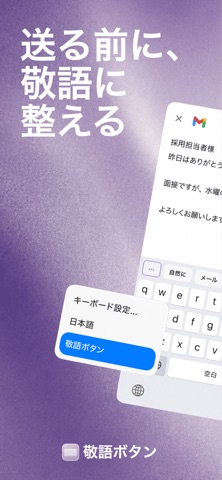
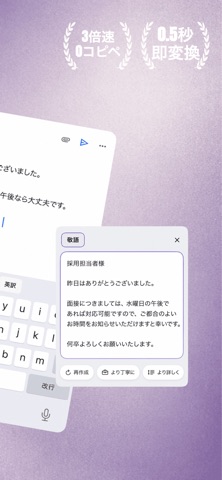
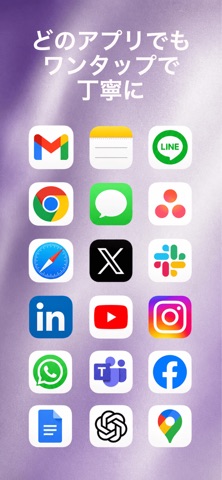
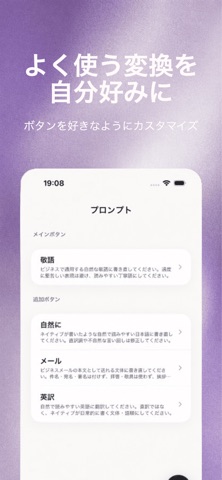
「これ、敬語で送りたいけど…言い回しが思いつかない!」 そのモヤモヤ、ワンタップで解決。 敬語ボタンは、書いた日本語をその場でAIが書き直してくれる、 新しいAI日本語キーボードです。LINE・メール・DM・ビジネスチャット… 送る前にポチッと押すだけで、ちょうどいい文章に整います。 ■ こんなときに大活躍 ・上司や取引先へのビジネスメールを、サッと敬語に ・友だち感覚で書いた文章を、ていねいな言い回しに言い換え ・きつく見えがちなメッセージを、やわらかい印象に ・英語で送りたいとき、そのまま自然な英訳に ・もらったメッセージに、AIがワンタップで返信文を提案 ■ 主な機能 ◎ 敬語変換・言い換え カジュアルな文章を、敬語・ていねい語・ビジネス表現にAIが変換。 文章作成や文章校正、メール作成がぐっとラクになります。 ◎ AIワンタップ返信【新機能】 相手のメッセージをコピーして「返信」を押すだけ。 文脈を読んで、自然な返信文の候補をAIが作成します。 ◎ フリック入力&ローマ字入力【新対応】 10キーのフリック入力に対応。ロー…
App details
What you can learn from 敬語ボタン|AI変換・返信キーボード
Every shipping app on the App Store has gone through the same decisions you're working through right now: which screenshot goes first, what caption sits over it, which device frame to show, what color the background should be. The 5 screenshots above are 敬語ボタン|AI変換・返信キーボード's answers to those questions — they're public, they're real, and they made it through Apple's review.
What the numbers say: 敬語ボタン|AI変換・返信キーボード runs a light set where the background shifts from screenshot to screenshot (first shot #FCFCFC) — each image has to stand on its own, so the captions carry more of the story. The accent colour we picked up, #745C94, is the one to reuse for badges, arrows and highlighted words if you borrow this look. Hit Use this style to open the editor with these exact colours and drop your own screenshot in.
Notice the first screenshot in particular. It's the one users see in search results and on the product page, and it's where most apps spend their best caption and tightest design. Look at the proportion of background to phone, where the text sits, what one thing the image is trying to communicate.
Want to see how other Utilities apps approach the same problem? Browse more Utilities apps in the showcase.
Take what works into your own screenshots
Open LaunchShots and design your App Store & Google Play screenshots — pick a device frame, drop captions, ship in minutes. Free, in your browser.
Open the screenshot editor →Apps with a similar look
Closest background + accent colours among the listings we've analysed — useful when you want to see the same palette handled by a different team.