Screenshot changes — detected by LaunchShots
Screenshot style breakdown
Sampled from 6 of 麻雀点数道場 by UFAS.inc's App Store screenshots — background, accent and theme, measured by LaunchShots (not something Apple publishes).
#F4F4E4 bg
#D6D6C8
#CCB474 accent
#111111 text
Screenshots



Icon palette
About this app
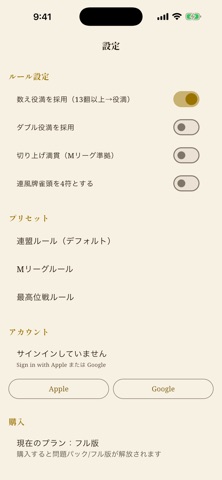
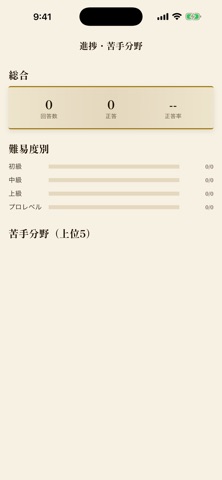
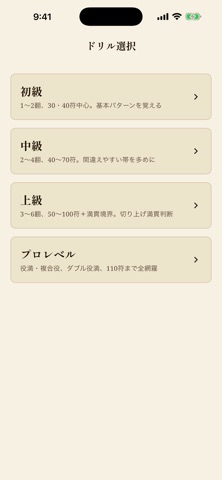
「麻雀は打てるけど点数計算が苦手」を一掃する練習アプリ。 【実戦基準の硬派な学習体験】 Mリーグルールをデフォルトに、団体ごとに差異がある論点(数え役満・ダブル役満・切り上げ満貛・連風牌雀頭)はアプリ内で明示し、設定で切替できます。出題は符計算が必要な満貛未満に絞り、ドラはドラ表示牌の実物で提示。点数申告も実戦と同じ「1300オール」「800・1600」形式で身につきます。 【5つの学び方】 1. 点数計算の基礎:副底から点数表まで、仕組みを1ページで学ぶ 2. ドリル:初級〜プロレベルの4段階、無限生成。40〜100符の「間違えやすい帯」を多めに出します 3. 符内訳プレビュー:ランダム手牌で計算過程をフラッシュカード学習 4. 点数早見表:1〜4翻×11符+満貛以上をいつでも参照 5. 進捗・苦手分野:あなたの「30符が苦手」を可視化 【段階的な買い切り】 ・無料:初級ドリル+符内訳プレビュー+点数早見表 ・問題パック:中級・上級・プロレベル問題を解放 ・フル版:進捗・苦手分野・ルール切替まで全機能 サブスクリプションではありませ…
App details
What you can learn from 麻雀点数道場 by UFAS.inc
Every shipping app on the App Store has gone through the same decisions you're working through right now: which screenshot goes first, what caption sits over it, which device frame to show, what color the background should be. The 8 screenshots above are 麻雀点数道場 by UFAS.inc's answers to those questions — they're public, they're real, and they made it through Apple's review.
What the numbers say: 麻雀点数道場 by UFAS.inc runs a light set with one background colour (#F4F4E4) carried across every screenshot — the listing reads as a single poster when the shots sit side by side in search results. The accent colour we picked up, #CCB474, is the one to reuse for badges, arrows and highlighted words if you borrow this look. Hit Use this style to open the editor with these exact colours and drop your own screenshot in.
Notice the first screenshot in particular. It's the one users see in search results and on the product page, and it's where most apps spend their best caption and tightest design. Look at the proportion of background to phone, where the text sits, what one thing the image is trying to communicate.
Want to see how other Games apps approach the same problem? Browse more Games apps in the showcase.
Take what works into your own screenshots
Open LaunchShots and design your App Store & Google Play screenshots — pick a device frame, drop captions, ship in minutes. Free, in your browser.
Open the screenshot editor →Apps with a similar look
Closest background + accent colours among the listings we've analysed — useful when you want to see the same palette handled by a different team.