Chart position — tracked daily by LaunchShots
Screenshot style breakdown
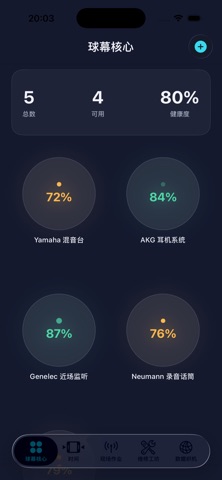
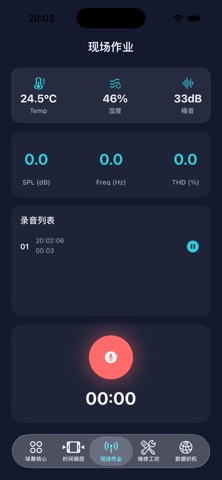
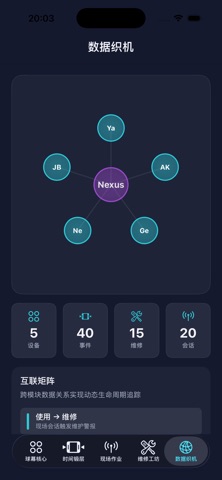
Sampled from 5 of 声谛室's App Store screenshots — background, accent and theme, measured by LaunchShots (not something Apple publishes).
#141C2C bg
#343B49
#34DCEC accent
#FFFFFF text
Reading the caption text from the screenshots in your browser…
Screenshots


Icon palette
About this app
声谛室 是一款面向声学设备管理的记录与维护工具,帮助用户系统整理扬声器、功放、调音台、麦克风、线材及相关声学资产的生命周期信息。应用的核心目的不是简单罗列物品,而是把设备资料、组件结构、使用事件、现场记录、维修工单、维护状态和历史时间线集中到一个清晰的工作空间中,方便长期追踪和复盘。 与普通库存应用不同,声谛室 更关注声学设备在实际使用过程中的状态变化。用户可以为每台设备记录型号、序列号、制造商、保修期、组件健康度、现场使用情况、环境记录、故障事件和维修成本。应用还提供结构化的组件视图、事件详情、维修流程和数据关系视图,帮助用户理解设备从采购、使用、维护到退役的完整过程。 本应用适合录音棚管理者、现场音响团队、剧场和场馆运维人员、音频设备租赁团队、学校或机构的设备管理员,以及需要长期维护声学资产档案的个人用户。声谛室 通过清晰的分类、时间线和维护记录,帮助这些用户减少遗漏、统一记录标准,并更有依据地安排设备检查、维修和更新计划。
App details
What you can learn from 声谛室
Every shipping app on the App Store has gone through the same decisions you're working through right now: which screenshot goes first, what caption sits over it, which device frame to show, what color the background should be. The 5 screenshots above are 声谛室's answers to those questions — they're public, they're real, and they made it through Apple's review.
What the numbers say: 声谛室 runs a dark set with one background colour (#141C2C) carried across every screenshot — the listing reads as a single poster when the shots sit side by side in search results. The accent colour we picked up, #34DCEC, is the one to reuse for badges, arrows and highlighted words if you borrow this look. Hit Use this style to open the editor with these exact colours and drop your own screenshot in.
Notice the first screenshot in particular. It's the one users see in search results and on the product page, and it's where most apps spend their best caption and tightest design. Look at the proportion of background to phone, where the text sits, what one thing the image is trying to communicate.
Want to see how other Music apps approach the same problem? Browse more Music apps in the showcase.
Take what works into your own screenshots
Open LaunchShots and design your App Store & Google Play screenshots — pick a device frame, drop captions, ship in minutes. Free, in your browser.
Open the screenshot editor →Apps with a similar look
Closest background + accent colours among the listings we've analysed — useful when you want to see the same palette handled by a different team.