Chart position — tracked daily by LaunchShots
Screenshot style breakdown
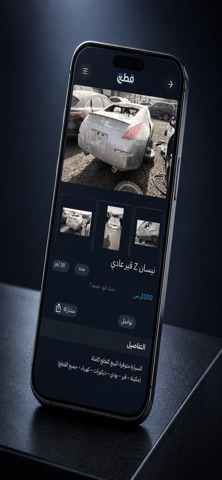
Sampled from 5 of قطع's App Store screenshots — background, accent and theme, measured by LaunchShots (not something Apple publishes).
#1C2434 bg
#3B4250
#34C4F4 accent
#FFFFFF text
Screenshots
Icon palette
About this app
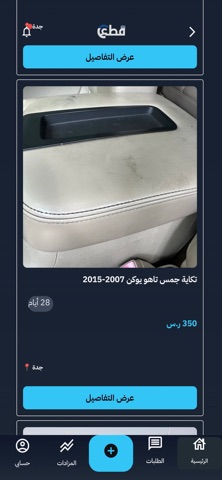
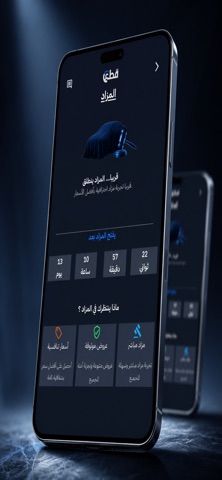
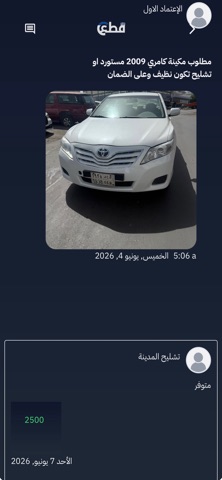
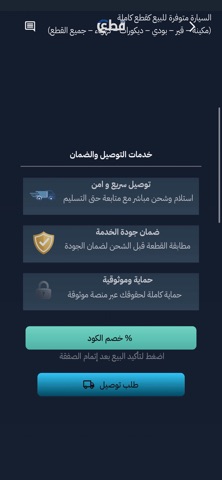
تطبيق "قطع" هو بوابتك الرقمية الأسهل والأكثر موثوقية للوصول إلى قطع غيار السيارات. نربطك مباشرة بأصحاب التشاليح لنوفر لك ما تحتاجه بكل سهولة واحترافية. سواء كنت تبحث عن قطع ميكانيكية، قطع البدي الخارجي، أو الإكسسوارات، منصة "قطع" تختصر عليك المسافات وعناء البحث الطويل في الحراجات التقليدية. لماذا تختار تطبيق قطع؟ مخزون ضخم ومتجدد: شبكة واسعة من التشاليح المعتمدة توفر خيارات متعددة لمختلف أنواع وموديلات السيارات. وفر وقتك وجهدك: ابحث عن قطعتك من جوالك، تصفح الصور بحالة القطعة الفعلية، واطلبها بضغطة زر. توصيل إلى باب بيتك: خدمة شحن وتوصيل احترافية تضمن وصول القطع لعنوانك بكل أمان. أسعار تنافسية وشفافة: قارن بين أسعار التشاليح واختر الأنسب لميزانيتك بدون أي وسطاء. تجربة مستخدم استثنائية: واجهة عصرية وسلسة بالوضع الداكن (Dark Mode) تضمن لك تصفح مريح وسريع. حمل تطبيق "قطع" الآن
App details
What you can learn from قطع
Every shipping app on the App Store has gone through the same decisions you're working through right now: which screenshot goes first, what caption sits over it, which device frame to show, what color the background should be. The 5 screenshots above are قطع's answers to those questions — they're public, they're real, and they made it through Apple's review.
What the numbers say: قطع runs a dark set with one background colour (#1C2434) carried across every screenshot — the listing reads as a single poster when the shots sit side by side in search results. The accent colour we picked up, #34C4F4, is the one to reuse for badges, arrows and highlighted words if you borrow this look. Hit Use this style to open the editor with these exact colours and drop your own screenshot in.
Notice the first screenshot in particular. It's the one users see in search results and on the product page, and it's where most apps spend their best caption and tightest design. Look at the proportion of background to phone, where the text sits, what one thing the image is trying to communicate.
Want to see how other Shopping apps approach the same problem? Browse more Shopping apps in the showcase.
Take what works into your own screenshots
Open LaunchShots and design your App Store & Google Play screenshots — pick a device frame, drop captions, ship in minutes. Free, in your browser.
Open the screenshot editor →Apps with a similar look
Closest background + accent colours among the listings we've analysed — useful when you want to see the same palette handled by a different team.