Chart position — tracked daily by LaunchShots
Screenshot style breakdown
Sampled from 6 of 卡待删 - 免费相册清理助手's App Store screenshots — background, accent and theme, measured by LaunchShots (not something Apple publishes).
#040404 bg
#272727
#74443C accent
#FFFFFF text
Screenshots


Icon palette
About this app
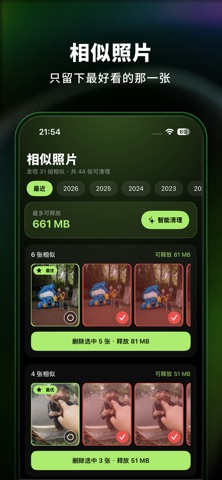
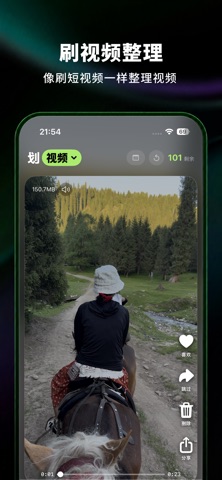
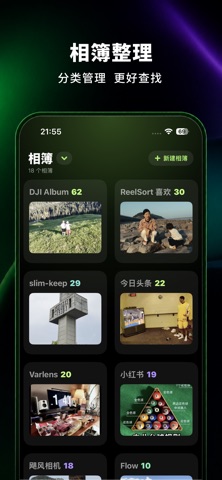
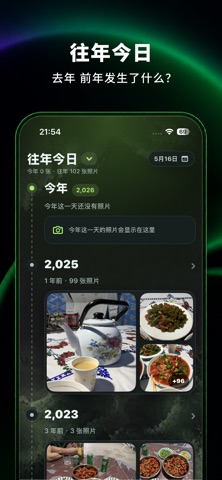
还在为相册里几千张照片发愁?「卡待删」让整理照片变得像刷短视频一样轻松。 左滑移除,右滑保留,一张张快速过,帮你整理积攒已久的废片、截图、视频和相似照片。 • 滑动整理,简单直观 像刷短视频一样,左右滑动就能决定每一张照片或视频的去留。 • 喜欢的照片,自动收藏 向上滑或双击即可收藏喜欢的照片,统一管理,还能导出成相册。 • 整理结果清晰可见 显示已整理数量、待删除数量和所选媒体的文件大小,让每一轮整理都有反馈。 • 分类筛选 照片、视频、截图、自拍、实况,按类型快速筛选;还能按月份分组、按时间或随机顺序整理。 • 删除安全可恢复 删除的照片会进入系统「最近删除」,可在系统相册中恢复。 • 本地运行,隐私留在手机里 所有整理与相似照片识别均在设备本地完成,不依赖服务器,也无需上传照片或视频。你的私人回忆,始终由你自己保管。 • 纯净无广告 没有广告、不收集任何数据,让你专心整理,安心使用。 现在就开始整理你的相册吧。
App details
What you can learn from 卡待删 - 免费相册清理助手
Every shipping app on the App Store has gone through the same decisions you're working through right now: which screenshot goes first, what caption sits over it, which device frame to show, what color the background should be. The 6 screenshots above are 卡待删 - 免费相册清理助手's answers to those questions — they're public, they're real, and they made it through Apple's review.
What the numbers say: 卡待删 - 免费相册清理助手 runs a dark set with one background colour (#040404) carried across every screenshot — the listing reads as a single poster when the shots sit side by side in search results. The accent colour we picked up, #74443C, is the one to reuse for badges, arrows and highlighted words if you borrow this look. Hit Use this style to open the editor with these exact colours and drop your own screenshot in.
Notice the first screenshot in particular. It's the one users see in search results and on the product page, and it's where most apps spend their best caption and tightest design. Look at the proportion of background to phone, where the text sits, what one thing the image is trying to communicate.
Want to see how other Photo & Video apps approach the same problem? Browse more Photo & Video apps in the showcase.
Take what works into your own screenshots
Open LaunchShots and design your App Store & Google Play screenshots — pick a device frame, drop captions, ship in minutes. Free, in your browser.
Open the screenshot editor →Apps with a similar look
Closest background + accent colours among the listings we've analysed — useful when you want to see the same palette handled by a different team.