Screenshot style breakdown
Sampled from 4 of Q:Kuotex Money Method's App Store screenshots — background, accent and theme, measured by LaunchShots (not something Apple publishes).
#140404 bg
#342727
#741C24 accent
#FFFFFF text
Screenshots

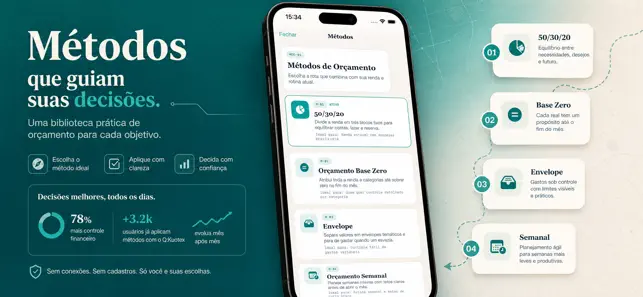
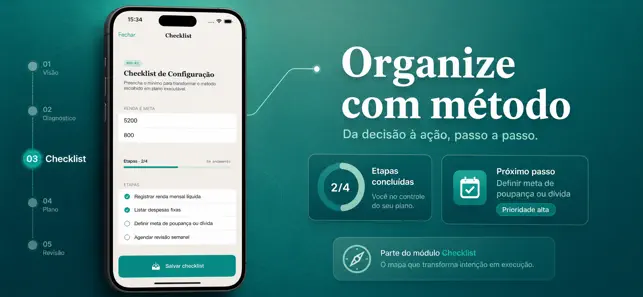
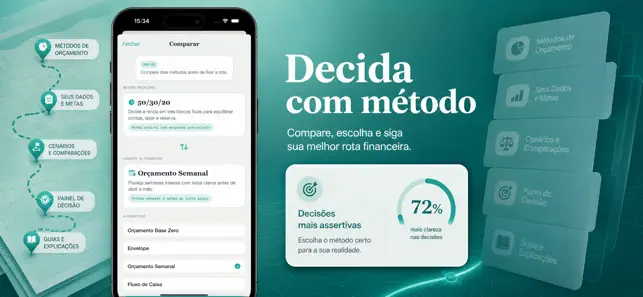
Icon palette
About this app
Chegar ao fim do mês sem direção financeira costuma gerar ansiedade e decisões por impulso. O Guia de Métodos de Orçamento ajuda exatamente nesse momento: em poucos segundos o usuário escolhe uma estratégia, define um cenário de entrada e recebe um roteiro concreto para iniciar com mais clareza. Em vez de só registrar gastos, ele aprende qual método combina melhor ao perfil atual antes de agir. No fluxo principal, o app organiza as informações locais mais importantes de cada método, com regras resumidas, etapas obrigatórias e estado de progresso. A cada atualização, o usuário enxerga projeções, alertas de desequilíbrio e um ponto de ação para continuar a disciplina na semana seguinte. Como não depende de login, integrações ou conta externa, os dados ficam sob controle do usuário no próprio aparelho. Em uma rotina apertada, a pessoa pode abrir o app, escolher um método e preencher o ch…
App details
What you can learn from Q:Kuotex Money Method
Every shipping app on the App Store has gone through the same decisions you're working through right now: which screenshot goes first, what caption sits over it, which device frame to show, what color the background should be. The 4 screenshots above are Q:Kuotex Money Method's answers to those questions — they're public, they're real, and they made it through Apple's review.
What the numbers say: Q:Kuotex Money Method runs a mixed light-and-dark set where the background shifts from screenshot to screenshot (first shot #140404) — each image has to stand on its own, so the captions carry more of the story. The accent colour we picked up, #741C24, is the one to reuse for badges, arrows and highlighted words if you borrow this look. Hit Use this style to open the editor with these exact colours and drop your own screenshot in.
Notice the first screenshot in particular. It's the one users see in search results and on the product page, and it's where most apps spend their best caption and tightest design. Look at the proportion of background to phone, where the text sits, what one thing the image is trying to communicate.
Want to see how other Reference apps approach the same problem? Browse more Reference apps in the showcase.
Take what works into your own screenshots
Open LaunchShots and design your App Store & Google Play screenshots — pick a device frame, drop captions, ship in minutes. Free, in your browser.
Open the screenshot editor →Apps with a similar look
Closest background + accent colours among the listings we've analysed — useful when you want to see the same palette handled by a different team.