Chart position — tracked daily by LaunchShots
Screenshot changes — detected by LaunchShots
Screenshot style breakdown
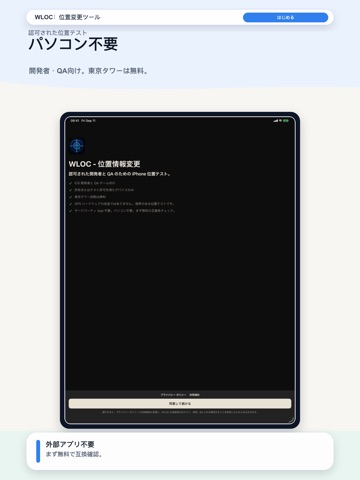
Sampled from 3 of WLOC:位置変更ツール's App Store screenshots — background, accent and theme, measured by LaunchShots (not something Apple publishes).
#F4F4F4 bg
#D6D6D6
#347CE4 accent
#111111 text
Reading the caption text from the screenshots in your browser…
Screenshots


iPad screenshots


Icon palette
About this app
WLOC はモバイル QA、開発者、研究者、許可済みテスター向けの iPhone 位置変更ツールです。対象座標を準備し、対応するネットワーク位置テスト経路で適用し、新しいリクエストと結果の証拠を確認して通常の位置動作へ戻せます。 許可されたテストの目的と境界 WLOC の目的はひとつです。あなたが所有する、または明示的に許可されたソフトウェアの位置依存動作をテストすること。所有しているか書面での許可がある端末、アプリ、アカウント、ネットワーク、環境だけで使用してください。他の人やサービスを欺くため、職場や学校のチェックインに干渉するため、ゲームで不当な優位を得るため、サービスの規則を回避するため、本番の位置データを改ざんするためには使用できません。WLOC は VPN ではなく、iPhone の GPS 受信機を書き換えず、すべてのアプリでの動作を保証しません。 できること まずは公開された低リスクのテスト地点から始めます。Apple Maps、Google Maps などのリンクを貼り付けるか、座標を直接入力します。WLOC は対象を正規化し、対応クライ…
App details
What you can learn from WLOC:位置変更ツール
Every shipping app on the App Store has gone through the same decisions you're working through right now: which screenshot goes first, what caption sits over it, which device frame to show, what color the background should be. The 6 screenshots above are WLOC:位置変更ツール's answers to those questions — they're public, they're real, and they made it through Apple's review.
What the numbers say: WLOC:位置変更ツール runs a light set with one background colour (#F4F4F4) carried across every screenshot — the listing reads as a single poster when the shots sit side by side in search results. The accent colour we picked up, #347CE4, is the one to reuse for badges, arrows and highlighted words if you borrow this look. Hit Use this style to open the editor with these exact colours and drop your own screenshot in.
Notice the first screenshot in particular. It's the one users see in search results and on the product page, and it's where most apps spend their best caption and tightest design. Look at the proportion of background to phone, where the text sits, what one thing the image is trying to communicate.
Want to see how other Developer Tools apps approach the same problem? Browse more Developer Tools apps in the showcase.
Take what works into your own screenshots
Open LaunchShots and design your App Store & Google Play screenshots — pick a device frame, drop captions, ship in minutes. Free, in your browser.
Open the screenshot editor →Apps with a similar look
Closest background + accent colours among the listings we've analysed — useful when you want to see the same palette handled by a different team.