Screenshot style breakdown
Sampled from 6 of HypeReel - AI動画&写真編集's App Store screenshots — background, accent and theme, measured by LaunchShots (not something Apple publishes).
#040404 bg
#272727
#3404BC accent
#FFFFFF text
Screenshots




Icon palette
About this app
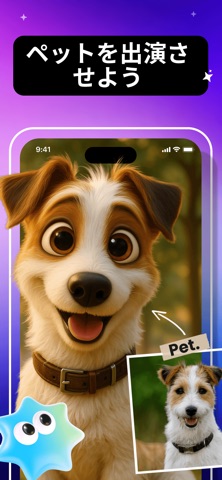
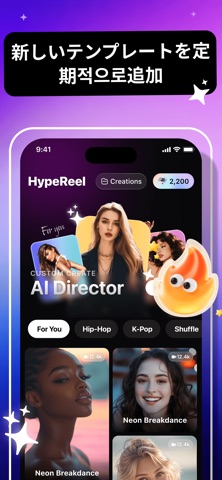
あなたの写真。あなたのキャラクター。無限のストーリー。 HypeReelは、静止画をAIによってダイナミックな動画へと変身させます。トレンディなテンプレートが揃うライブラリからお気に入りを選び、実在の人物(またはペット)を出演させて、あなたのアイデアが画面上で動き出す感動を体験しましょう。 機能紹介: ソロ写真、グループ写真、あるいはペットの写真をアップロードするだけで、映画のようなワンシーンに配置できます。さらにクリエイティブな表現を楽しみたいなら、最初と最後のフレームをアップロードし、テキスト指示(プロンプト)を入力してみてください。HypeReelのAIが、その間の滑らかなトランジションを自動生成します。可能性はあなたの想像力次第です。 主な特徴: - 自分の写真から実在の人物を、用意された動画テンプレートに出演可能 - 複数人&ペット対応 — 誰一人取り残さない思い出作りを - 最初から最後のフレームへのAIトランジション — 中間の展開を説明するだけで、AIが補完 - 定期的に更新されるテンプレートライブラリ — トレ…
App details
What you can learn from HypeReel - AI動画&写真編集
Every shipping app on the App Store has gone through the same decisions you're working through right now: which screenshot goes first, what caption sits over it, which device frame to show, what color the background should be. The 6 screenshots above are HypeReel - AI動画&写真編集's answers to those questions — they're public, they're real, and they made it through Apple's review.
What the numbers say: HypeReel - AI動画&写真編集 runs a dark set where the background shifts from screenshot to screenshot (first shot #040404) — each image has to stand on its own, so the captions carry more of the story. The accent colour we picked up, #3404BC, is the one to reuse for badges, arrows and highlighted words if you borrow this look. Hit Use this style to open the editor with these exact colours and drop your own screenshot in.
Notice the first screenshot in particular. It's the one users see in search results and on the product page, and it's where most apps spend their best caption and tightest design. Look at the proportion of background to phone, where the text sits, what one thing the image is trying to communicate.
Want to see how other Utilities apps approach the same problem? Browse more Utilities apps in the showcase.
Take what works into your own screenshots
Open LaunchShots and design your App Store & Google Play screenshots — pick a device frame, drop captions, ship in minutes. Free, in your browser.
Open the screenshot editor →Apps with a similar look
Closest background + accent colours among the listings we've analysed — useful when you want to see the same palette handled by a different team.