Chart position — tracked daily by LaunchShots
Screenshot changes — detected by LaunchShots
Screenshot style breakdown
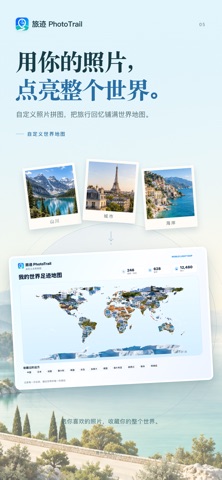
Sampled from 6 of 旅迹 PhotoTrail's App Store screenshots — background, accent and theme, measured by LaunchShots (not something Apple publishes).
#ECF4FC bg
#CFD6DD
#BCE494 accent
#111111 text
Reading the caption text from the screenshots in your browser…
Screenshots




Icon palette
About this app
让相册里的照片,重新带你出发。 旅迹 PhotoTrail 根据照片的拍摄时间与地点,自动整理走过的城市、旅行路线、停留点和照片回忆。从一段旅迹回放,到一张世界足迹地图,把旅行变成看得见、值得收藏的记忆。 授权相册后,旅迹会读取获准访问照片的拍摄时间与 GPS 信息,在设备本地完成整理。无需手动打卡,也不会申请实时定位权限。 【自动发现旅行足迹】 • 整理到访城市、旅行日期、停留点和照片墙 • 查看旅行天数、距离、城市与照片数量 • 设置常住地,减少日常短记录对旅行整理的干扰 • 按季节与往年同期,重新发现相册里的回忆 【在地图上重走旅程】 • 自动串联旅途照片,用路线动画回顾每一次抵达 • 结合沿途照片位置,呈现更多同城与短途游玩路线 • 查看完整照片地图,展开地点照片卡片 • 按单次旅程隐藏或恢复照片与停留点,不删除系统相册原图 路线与交通方式根据照片时间和地点推测;部分路线来自道路规划或地点连接示意,并非实际行驶轨迹,也不用于导航。 【点亮你的世界地图】 • 在世界与国家地图之间切换,查看不同范围的足迹 • 点亮到访国家及支持…
App details
What you can learn from 旅迹 PhotoTrail
Every shipping app on the App Store has gone through the same decisions you're working through right now: which screenshot goes first, what caption sits over it, which device frame to show, what color the background should be. The 10 screenshots above are 旅迹 PhotoTrail's answers to those questions — they're public, they're real, and they made it through Apple's review.
What the numbers say: 旅迹 PhotoTrail runs a light set with one background colour (#ECF4FC) carried across every screenshot — the listing reads as a single poster when the shots sit side by side in search results. The accent colour we picked up, #BCE494, is the one to reuse for badges, arrows and highlighted words if you borrow this look. Hit Use this style to open the editor with these exact colours and drop your own screenshot in.
Notice the first screenshot in particular. It's the one users see in search results and on the product page, and it's where most apps spend their best caption and tightest design. Look at the proportion of background to phone, where the text sits, what one thing the image is trying to communicate.
Want to see how other Travel apps approach the same problem? Browse more Travel apps in the showcase.
Take what works into your own screenshots
Open LaunchShots and design your App Store & Google Play screenshots — pick a device frame, drop captions, ship in minutes. Free, in your browser.
Open the screenshot editor →Apps with a similar look
Closest background + accent colours among the listings we've analysed — useful when you want to see the same palette handled by a different team.