Screenshot style breakdown
Sampled from 5 of 找了个茬's App Store screenshots — background, accent and theme, measured by LaunchShots (not something Apple publishes).
#FCECDC bg
#DDCFC1
#ECB484 accent
#111111 text
Screenshots



Icon palette
About this app
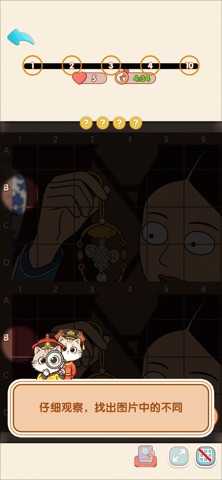
化身怀揣放大镜的萌系猫咪侦探,练就一双洞悉细微的慧眼,细致比对上下两幅画面,精准捕捉藏匿在角落的每一处差别。 每一关都设有限时挑战,需要静下心调动专注力,悉数找寻全部差异方可顺利通关。如若遇到难以分辨的细节不必苦恼,贴心提示道具随时待命,一键触发即可获取指引,轻松化解解谜难题。 界面支持画面自由缩放放大,拉近镜头深挖画面肌理,任由小猫咪细细审视每一处边角细节,轻松攻克刁钻细微的差别谜题。闲暇之余沉浸式体验治愈找茬乐趣,舒缓心绪,慢慢锻炼你的观察力与专注力。
App details
What you can learn from 找了个茬
Every shipping app on the App Store has gone through the same decisions you're working through right now: which screenshot goes first, what caption sits over it, which device frame to show, what color the background should be. The 5 screenshots above are 找了个茬's answers to those questions — they're public, they're real, and they made it through Apple's review.
What the numbers say: 找了个茬 runs a mixed light-and-dark set where the background shifts from screenshot to screenshot (first shot #FCECDC) — each image has to stand on its own, so the captions carry more of the story. The accent colour we picked up, #ECB484, is the one to reuse for badges, arrows and highlighted words if you borrow this look. Hit Use this style to open the editor with these exact colours and drop your own screenshot in.
Notice the first screenshot in particular. It's the one users see in search results and on the product page, and it's where most apps spend their best caption and tightest design. Look at the proportion of background to phone, where the text sits, what one thing the image is trying to communicate.
Want to see how other Games apps approach the same problem? Browse more Games apps in the showcase.
Take what works into your own screenshots
Open LaunchShots and design your App Store & Google Play screenshots — pick a device frame, drop captions, ship in minutes. Free, in your browser.
Open the screenshot editor →Apps with a similar look
Closest background + accent colours among the listings we've analysed — useful when you want to see the same palette handled by a different team.