Chart position — tracked daily by LaunchShots
Screenshot style breakdown
Sampled from 5 of Tablya: Homemade Food's App Store screenshots — background, accent and theme, measured by LaunchShots (not something Apple publishes).
#EC044C bg
#EE2765
#AC7C5C accent
#FFFFFF text
Screenshots

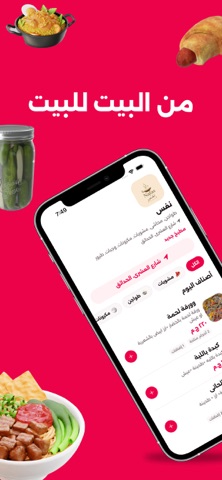
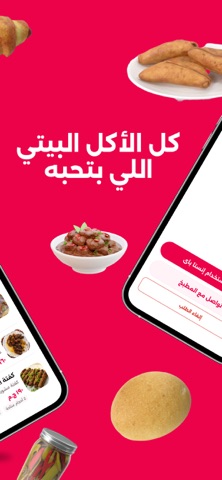


Icon palette
About this app
فاكر طعم الأكل اللي بيتعمل في البيت؟ الأكلة اللي بتتعمل بحب، والوصفة اللي اتنقلت من جيل لجيل، والطعم اللي مستحيل تلاقيه في أي مطعم؟ ده طعم طبلية. طبلية بتجمعك مع أمهات وطباخين بيعملوا أكل حقيقي من مطابخهم، عشان تكتشف أكلات بيتية مختلفة وتطلب اللي نفسك فيه. بتحب الأكل البيتي؟ اكتشف مطابخ أمهات حواليك، اتفرج على الأكل والمنيو، وجرب وصفات وأكلات معمولة في البيت. من الأكل المصري الأصيل للحلويات والوصفات العائلية — كل مطبخ له حكايته وطعمه. بتحبي الطبخ؟ طبخك يستاهل يوصل لناس أكتر. اعملي مطبخك على طبلية، ضيفي أكلك، حددي أسعارك، واستقبلي طلبات من ناس بتحب الأكل البيتي. مش لازم مطعم. مش لازم محل. مطبخك هو البداية. طبلية بتساعدك تعرضي أكلك، تستقبلي طلباتك، وتحوّلي حبك للطبخ لفرصة حقيقية. طبلية للاتنين للناس اللي بتحب تاكل: اكتشف أكل حقيقي من مطابخ حقيقية. للأمهات اللي بتحب تطبخ: خلي أكلك يوصل لناس أكتر وابدئي مشروعك من بيتك.
App details
What you can learn from Tablya: Homemade Food
Every shipping app on the App Store has gone through the same decisions you're working through right now: which screenshot goes first, what caption sits over it, which device frame to show, what color the background should be. The 5 screenshots above are Tablya: Homemade Food's answers to those questions — they're public, they're real, and they made it through Apple's review.
What the numbers say: Tablya: Homemade Food runs a dark set with one background colour (#EC044C) carried across every screenshot — the listing reads as a single poster when the shots sit side by side in search results. The accent colour we picked up, #AC7C5C, is the one to reuse for badges, arrows and highlighted words if you borrow this look. Hit Use this style to open the editor with these exact colours and drop your own screenshot in.
Notice the first screenshot in particular. It's the one users see in search results and on the product page, and it's where most apps spend their best caption and tightest design. Look at the proportion of background to phone, where the text sits, what one thing the image is trying to communicate.
Want to see how other Food & Drink apps approach the same problem? Browse more Food & Drink apps in the showcase.
Take what works into your own screenshots
Open LaunchShots and design your App Store & Google Play screenshots — pick a device frame, drop captions, ship in minutes. Free, in your browser.
Open the screenshot editor →Apps with a similar look
Closest background + accent colours among the listings we've analysed — useful when you want to see the same palette handled by a different team.