Screenshot changes — detected by LaunchShots
Screenshot style breakdown
Sampled from 5 of Astrarium アストラリウム's App Store screenshots — background, accent and theme, measured by LaunchShots (not something Apple publishes).
#040404 bg
#272727
#74ACFC accent
#FFFFFF text
Reading the caption text from the screenshots in your browser…
Screenshots


iPad screenshots


Icon palette
About this app
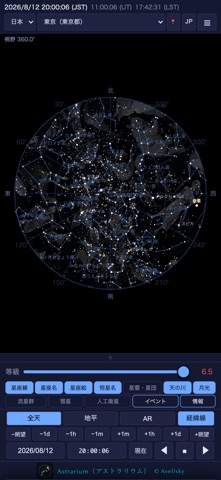
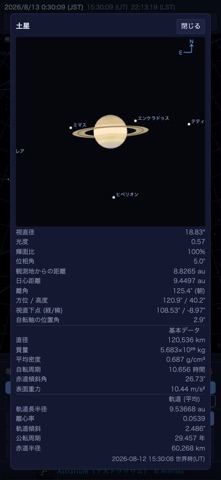
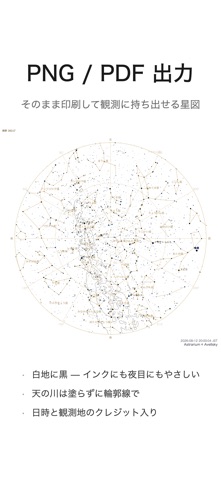
観測地と日時を決めれば、その場所・その時刻の空をそのまま描きます。天体の位置は端末の中で計算するので、電波の届かない観測地でも全機能がそのまま使えます。 ※ 外部通信は「彗星(MPC)」「小惑星・天体検索(JPL SBDB、リレー経由)」「人工衛星の軌道要素(TLE、CelesTrak)」の3系統だけで、すべてユーザー操作起点、失敗してもキャッシュで動作継続します。 【11の言語で使えます】 11の言語(日本語、英語、中国語(繁体字)、中国語(簡体字)、韓国語、スペイン語、ポルトガル語、フランス語、ドイツ語、チェコ語、ポーランド語)。画面の文言も、星座名・恒星名・地名・国名も、選んだ言語で出ます。観測地はその言語の国が先頭に並びます。 【収録データ(すべて内蔵)】 ・恒星 9,096個(エール輝星星表 BSC5、約8等まで=肉眼で見える星をすべて) ・星雲・星団・銀河 155個(メシエ天体+カルドウェル天体、写真と解説つき) ・IAU 88星座の星座線(IAU 公式の星座図形、752本)と星座絵 ・天の川(NASA Deep Star Maps 2020。Gaia DR2 ほか17億…
App details
What you can learn from Astrarium アストラリウム
Every shipping app on the App Store has gone through the same decisions you're working through right now: which screenshot goes first, what caption sits over it, which device frame to show, what color the background should be. The 10 screenshots above are Astrarium アストラリウム's answers to those questions — they're public, they're real, and they made it through Apple's review.
What the numbers say: Astrarium アストラリウム runs a mixed light-and-dark set where the background shifts from screenshot to screenshot (first shot #040404) — each image has to stand on its own, so the captions carry more of the story. The accent colour we picked up, #74ACFC, is the one to reuse for badges, arrows and highlighted words if you borrow this look. Hit Use this style to open the editor with these exact colours and drop your own screenshot in.
Notice the first screenshot in particular. It's the one users see in search results and on the product page, and it's where most apps spend their best caption and tightest design. Look at the proportion of background to phone, where the text sits, what one thing the image is trying to communicate.
Want to see how other Education apps approach the same problem? Browse more Education apps in the showcase.
Take what works into your own screenshots
Open LaunchShots and design your App Store & Google Play screenshots — pick a device frame, drop captions, ship in minutes. Free, in your browser.
Open the screenshot editor →Apps with a similar look
Closest background + accent colours among the listings we've analysed — useful when you want to see the same palette handled by a different team.