Chart position — tracked daily by LaunchShots
Screenshot style breakdown
Sampled from 5 of Pixel Slayer Saga's App Store screenshots — background, accent and theme, measured by LaunchShots (not something Apple publishes).
#8444A4 bg
#955EB0
#B48CE4 accent
#FFFFFF text
Screenshots

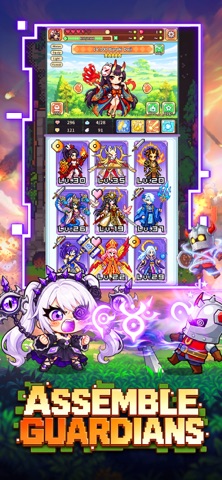

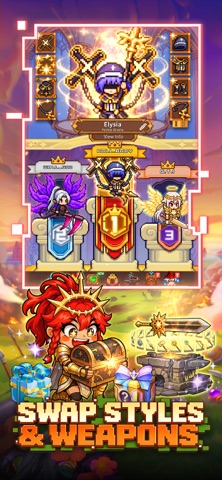

iPad screenshots


Icon palette
About this app
Embark on an epic pixel-art quest where every slash brings glorious loot. Build your legend, even while you’re away! ASSEMBLE GUARDIANS Summon knights, mages, rogues, and legendary critters. Mix and match to break the meta, evolve your squad, and watch ‘em shred dungeons like paper. No weak links—just absolute units ready to wreck. Your dream team, a tap away. AFK BOSS RAIDS Towering dragons, demon lords, mythical titans—your squad claps ‘em all while you sleep. Wake up to fat stacks of gold, rare gear, and legendary drops. Set it, forget it, and collect loot like a boss. No sweat, no grind—just pure idle profit. SWAP STYLES & WEAPONS Swap weapons on the fly and switch up your hero’s whole vibe. Flaming swords, cursed bows, arcane staves—each loadout brings new moves and fresh drip. Customize your look, flex on mobs, and slay in style that’s all you. MEET FELLOW ADVENTURERS Team…
App details
What you can learn from Pixel Slayer Saga
Every shipping app on the App Store has gone through the same decisions you're working through right now: which screenshot goes first, what caption sits over it, which device frame to show, what color the background should be. The 10 screenshots above are Pixel Slayer Saga's answers to those questions — they're public, they're real, and they made it through Apple's review.
What the numbers say: Pixel Slayer Saga runs a dark set where the background shifts from screenshot to screenshot (first shot #8444A4) — each image has to stand on its own, so the captions carry more of the story. The accent colour we picked up, #B48CE4, is the one to reuse for badges, arrows and highlighted words if you borrow this look. Hit Use this style to open the editor with these exact colours and drop your own screenshot in.
Notice the first screenshot in particular. It's the one users see in search results and on the product page, and it's where most apps spend their best caption and tightest design. Look at the proportion of background to phone, where the text sits, what one thing the image is trying to communicate.
Want to see how other Games apps approach the same problem? Browse more Games apps in the showcase.
Take what works into your own screenshots
Open LaunchShots and design your App Store & Google Play screenshots — pick a device frame, drop captions, ship in minutes. Free, in your browser.
Open the screenshot editor →Apps with a similar look
Closest background + accent colours among the listings we've analysed — useful when you want to see the same palette handled by a different team.