Chart position — tracked daily by LaunchShots
Screenshot style breakdown
Sampled from 5 of BestYou: Spor ve Salon's App Store screenshots — background, accent and theme, measured by LaunchShots (not something Apple publishes).
#FCFCFC bg
#DDDDDD
#F4C41C accent
#111111 text
Screenshots


Icon palette
About this app
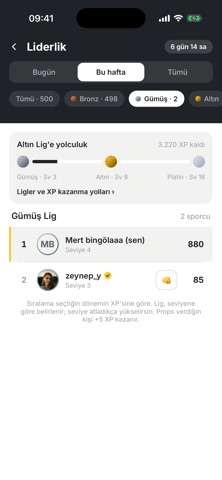
VoltFit Performans — antrenmandan beslenmeye, spor salonundan sosyal rekabete kadar formda kalmak için ihtiyacın olan her şey tek uygulamada. KİŞİSEL ANTRENMAN PROGRAMI • Boy, kilo, hedef ve zorluk tercihine göre sana özel hazırlanan program • Binlerce egzersiz; her hareket için gerçek çekim video ve kas grubu görseli • Sesli anlatım eşliğinde adım adım antrenman oynatıcısı: hazırlık, tekrar sayacı, dinlenme • Bölge seçerek çalış: göğüs, sırt, omuz, kol, bacak, karın BESLENME VE KALORİ TAKİBİ • Mifflin-St Jeor formülüyle hesaplanan günlük kalori ve protein hedefi • Türk mutfağına uygun geniş besin veritabanı; kendi yiyeceğini de ekleyebilirsin • Öğün bazlı kalori günlüğü ve makro dağılımı • Hedefine göre 7 günlük diyet programı: zayıfla, kilonu koru, kas yap veya kilo al SPOR SALONU ENTEGRASYONU • QR kod ile turnikeden geçiş — üyelik kartı taşımana gerek yok • Üyelik durumun, kalan g…
App details
What you can learn from BestYou: Spor ve Salon
Every shipping app on the App Store has gone through the same decisions you're working through right now: which screenshot goes first, what caption sits over it, which device frame to show, what color the background should be. The 5 screenshots above are BestYou: Spor ve Salon's answers to those questions — they're public, they're real, and they made it through Apple's review.
What the numbers say: BestYou: Spor ve Salon runs a light set with one background colour (#FCFCFC) carried across every screenshot — the listing reads as a single poster when the shots sit side by side in search results. The accent colour we picked up, #F4C41C, is the one to reuse for badges, arrows and highlighted words if you borrow this look. Hit Use this style to open the editor with these exact colours and drop your own screenshot in.
Notice the first screenshot in particular. It's the one users see in search results and on the product page, and it's where most apps spend their best caption and tightest design. Look at the proportion of background to phone, where the text sits, what one thing the image is trying to communicate.
Want to see how other Health & Fitness apps approach the same problem? Browse more Health & Fitness apps in the showcase.
Take what works into your own screenshots
Open LaunchShots and design your App Store & Google Play screenshots — pick a device frame, drop captions, ship in minutes. Free, in your browser.
Open the screenshot editor →Apps with a similar look
Closest background + accent colours among the listings we've analysed — useful when you want to see the same palette handled by a different team.