Chart position — tracked daily by LaunchShots
Screenshot changes — detected by LaunchShots
Screenshot style breakdown
Sampled from 6 of Accent - Selective Color's App Store screenshots — background, accent and theme, measured by LaunchShots (not something Apple publishes).
#141414 bg
#343434
#FCC404 accent
#FFFFFF text
Reading the caption text from the screenshots in your browser…
Screenshots

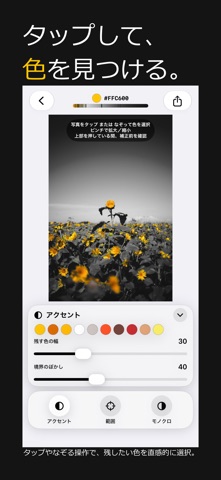
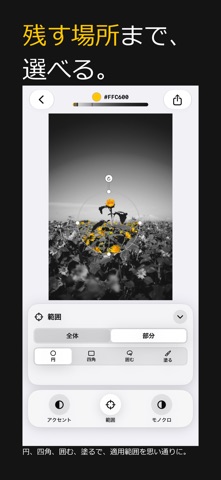
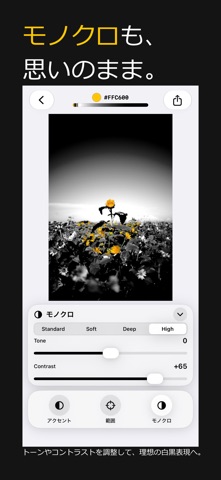
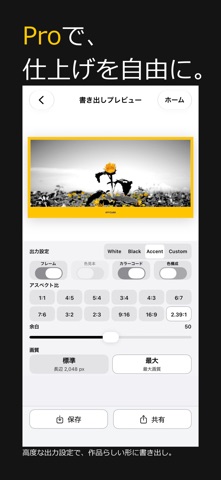
iPad screenshots


Icon palette
About this app
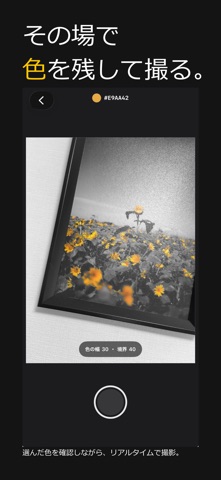
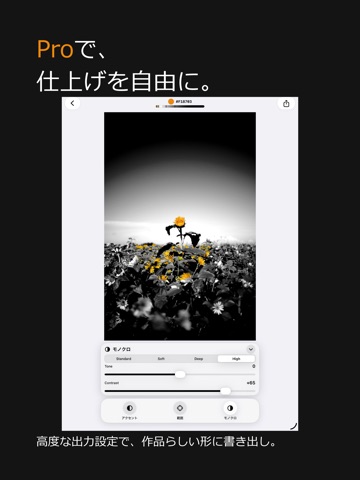
写真の中に、残したい色はありますか。 Accentは、選んだ色を残し、それ以外をモノクロに整える写真アプリです。 写真を選んで編集する。 その場で色を選びながら撮る。 写真をタップ、またはなぞって色を選ぶだけ。 色の範囲や境界を調整し、必要に応じて適用範囲を写真全体または一部分に限定できます。 Accent Liveでは、カメラの映像を見ながらリアルタイムに残したい色を選択。 モノクロと色の組み合わせをその場で確認しながら撮影し、そのままAccentで仕上げられます。 色を消すことで、その写真に必要な色を見つける。 【主な機能】 ・タップ/ドラッグによるアクセントカラー選択 ・色の範囲と境界の調整 ・写真全体/部分への適用 ・円、四角、フリーハンドによる部分指定 ・最近使った色の再利用 ・モノクロのトーン調整 ・フレームの白/黒などの切り替え ・色見本、カラーコード、色構成の表示 ・アスペクト比を選んだ書き出し ・写真への保存、共有 【Accent Live】 カメラの映像にリアルタイムでSelective Colorを適用し、残したい色を見ながら…
App details
What you can learn from Accent - Selective Color
Every shipping app on the App Store has gone through the same decisions you're working through right now: which screenshot goes first, what caption sits over it, which device frame to show, what color the background should be. The 11 screenshots above are Accent - Selective Color's answers to those questions — they're public, they're real, and they made it through Apple's review.
What the numbers say: Accent - Selective Color runs a dark set with one background colour (#141414) carried across every screenshot — the listing reads as a single poster when the shots sit side by side in search results. The accent colour we picked up, #FCC404, is the one to reuse for badges, arrows and highlighted words if you borrow this look. Hit Use this style to open the editor with these exact colours and drop your own screenshot in.
Notice the first screenshot in particular. It's the one users see in search results and on the product page, and it's where most apps spend their best caption and tightest design. Look at the proportion of background to phone, where the text sits, what one thing the image is trying to communicate.
Want to see how other Photo & Video apps approach the same problem? Browse more Photo & Video apps in the showcase.
Take what works into your own screenshots
Open LaunchShots and design your App Store & Google Play screenshots — pick a device frame, drop captions, ship in minutes. Free, in your browser.
Open the screenshot editor →Apps with a similar look
Closest background + accent colours among the listings we've analysed — useful when you want to see the same palette handled by a different team.