Chart position — tracked daily by LaunchShots
Screenshot style breakdown
Sampled from 5 of ラダー図ノート - シーケンス制御の回路メモ's App Store screenshots — background, accent and theme, measured by LaunchShots (not something Apple publishes).
#143454 bg
#34506B
#547494 accent
#FFFFFF text
Screenshots


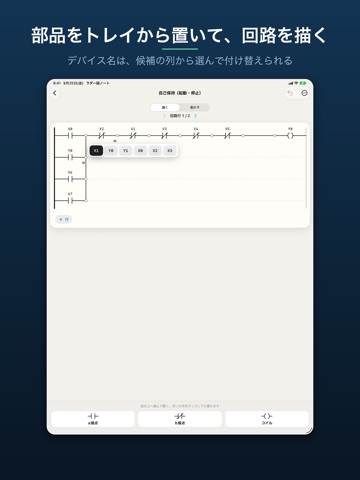
iPad screenshots



Icon palette
About this app
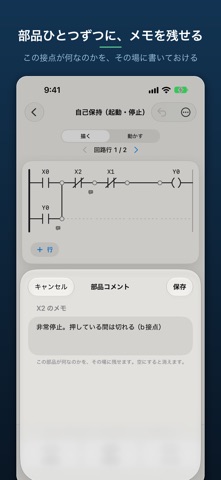
現場で思いついたラダー回路を、その場で描いて、メモごと残しておけます。 ■ 起動したら、まず回路の一覧 これまでに描いた回路が、名前とメモと日付で並びます。 「あのとき何を考えて組んだのか」を、開く前に思い出せます。 ■ 回路にメモを残せます 回路ぜんたいへのメモと、部品ひとつずつへのコメント。 どちらも後から検索できます。 ■ 探せます 回路の名前、メモ、部品のコメント、使ったデバイス名(X0 や Y10 など)から探せます。 ■ 描いて、その場で動かせます a接点・b接点・コイルを置いて、縦の線でつないで並列にできます。 入力を切り替えると、通電している線とONになったコイルがその場で分かります。 ■ 現場の外には持ち出しません 保存はすべて端末の中です。アカウント登録も、広告もありません。アプリ内課金のお支払いはお使いの端末とAppleの間で処理され、当方が内容に触れることはありません。 ■ 回路の保存数だけ買い切りで増やせます 描くこと、メモを残すこと、探すことは無料のまま全部使えます。保存できる回路の数だけに上限…
App details
What you can learn from ラダー図ノート - シーケンス制御の回路メモ
Every shipping app on the App Store has gone through the same decisions you're working through right now: which screenshot goes first, what caption sits over it, which device frame to show, what color the background should be. The 10 screenshots above are ラダー図ノート - シーケンス制御の回路メモ's answers to those questions — they're public, they're real, and they made it through Apple's review.
What the numbers say: ラダー図ノート - シーケンス制御の回路メモ runs a dark set with one background colour (#143454) carried across every screenshot — the listing reads as a single poster when the shots sit side by side in search results. The accent colour we picked up, #547494, is the one to reuse for badges, arrows and highlighted words if you borrow this look. Hit Use this style to open the editor with these exact colours and drop your own screenshot in.
Notice the first screenshot in particular. It's the one users see in search results and on the product page, and it's where most apps spend their best caption and tightest design. Look at the proportion of background to phone, where the text sits, what one thing the image is trying to communicate.
Want to see how other Developer Tools apps approach the same problem? Browse more Developer Tools apps in the showcase.
Take what works into your own screenshots
Open LaunchShots and design your App Store & Google Play screenshots — pick a device frame, drop captions, ship in minutes. Free, in your browser.
Open the screenshot editor →Apps with a similar look
Closest background + accent colours among the listings we've analysed — useful when you want to see the same palette handled by a different team.