Screenshot changes — detected by LaunchShots
Screenshot style breakdown
Sampled from 6 of 喵练:健身记录·力量训练·训练计划's App Store screenshots — background, accent and theme, measured by LaunchShots (not something Apple publishes).
#FCECEC bg
#DDCFCF
#FC84A4 accent
#111111 text
Reading the caption text from the screenshots in your browser…
Screenshots


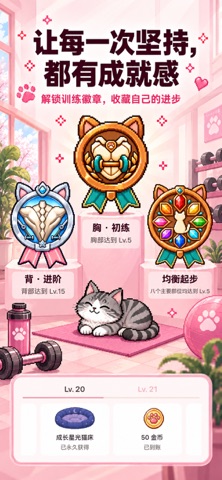


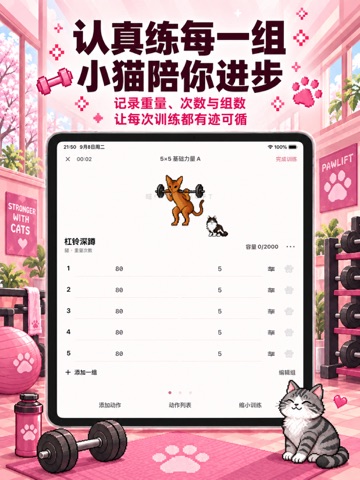
iPad screenshots


Icon palette
About this app
记清每一组,知道下次怎么练。喵练是一款有小猫陪伴的健身记录与力量训练工具。 从安排计划、查看动作,到记录重量、回顾训练,把健身房和居家锻炼中的努力留下来。你认真训练,小猫陪你成长,让下一次开练多一点期待。 【上次练多少,不用再凭印象】 记录重量、次数、组数,也支持时间、距离等不同训练数据。参考上次记录安排今天的训练;自重、附加负重、递减组与力竭记录,让不同练法都有合适的记录方式。组间休息倒计时,帮你掌握下一组的开始时间。 【今天怎么练,提前安排好】 从免费推荐计划开始,或创建自己的训练计划。按需要调整动作、顺序、组数、重量与休息;想自由安排,也能直接开始空白训练。 【练哪里、怎么做,开始前看明白】 动作库覆盖器械、哑铃、杠铃、自重、核心与有氧等练习,提供像素小猫动态演示、训练部位和动作要点。选择动作、了解练习内容,再加入自己的训练。 【有没有进步,用记录来回顾】 通过训练日历、训练容量、时长和部位分布,回看每次完成了什么,了解一段时间的训练积累。进步不只是某一次加重,也包括持续留下的每一份…
App details
What you can learn from 喵练:健身记录·力量训练·训练计划
Every shipping app on the App Store has gone through the same decisions you're working through right now: which screenshot goes first, what caption sits over it, which device frame to show, what color the background should be. The 20 screenshots above are 喵练:健身记录·力量训练·训练计划's answers to those questions — they're public, they're real, and they made it through Apple's review.
What the numbers say: 喵练:健身记录·力量训练·训练计划 runs a light set with one background colour (#FCECEC) carried across every screenshot — the listing reads as a single poster when the shots sit side by side in search results. The accent colour we picked up, #FC84A4, is the one to reuse for badges, arrows and highlighted words if you borrow this look. Hit Use this style to open the editor with these exact colours and drop your own screenshot in.
Notice the first screenshot in particular. It's the one users see in search results and on the product page, and it's where most apps spend their best caption and tightest design. Look at the proportion of background to phone, where the text sits, what one thing the image is trying to communicate.
Want to see how other Health & Fitness apps approach the same problem? Browse more Health & Fitness apps in the showcase.
Take what works into your own screenshots
Open LaunchShots and design your App Store & Google Play screenshots — pick a device frame, drop captions, ship in minutes. Free, in your browser.
Open the screenshot editor →Apps with a similar look
Closest background + accent colours among the listings we've analysed — useful when you want to see the same palette handled by a different team.