Chart position — tracked daily by LaunchShots
Screenshot style breakdown
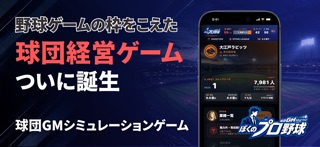
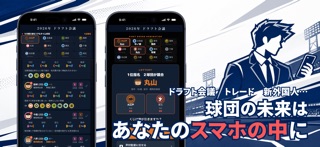
Sampled from 3 of ぼくのプロ野球(ぼくプロ)-GM経営シミュレーションゲーム's App Store screenshots — background, accent and theme, measured by LaunchShots (not something Apple publishes).
#04040C bg
#27272E
#141C6C accent
#FFFFFF text
Screenshots

Icon palette
About this app
あなたはプロ野球球団のGM(ゼネラルマネージャー)。 監督ではなく、チームを作る側として優勝を目指すシミュレーションゲームです。 ドラフトで誰を獲るか。主力の契約更改にいくら出すか。外国人選手をどこから連れてくるか。トレードを仕掛けるか、若手を我慢して使うか。 すべての決断があなたのものになり、その結果はスタンドの空席と、オーナーの表情として返ってきます。 ■ 12球団・2リーグの本格ペナントレース 架空の12球団が2つのリーグで143試合を戦います。 順位表・個人成績・ボックススコアはすべて同じ試合結果から生まれ、1打席ごとに試合が進むテキスト速報で、あなたの補強が効いた瞬間を確かめられます。 ポストシーズンを勝ち上がり、日本一決定戦へ。 ■ 選手の一生に向き合う 高校・大学・社会人から育成契約まで、ドラフトの候補にはそれぞれ将来があります。 若手は伸び、ベテランは衰え、故障は突然やってきます。 海外挑戦を志願する主力、家庭の事情で帰国する助っ人。選手は毎年、あなたの決断のぶんだけ形を変えます。 ■ 経営はも…
App details
What you can learn from ぼくのプロ野球(ぼくプロ)-GM経営シミュレーションゲーム
Every shipping app on the App Store has gone through the same decisions you're working through right now: which screenshot goes first, what caption sits over it, which device frame to show, what color the background should be. The 3 screenshots above are ぼくのプロ野球(ぼくプロ)-GM経営シミュレーションゲーム's answers to those questions — they're public, they're real, and they made it through Apple's review.
What the numbers say: ぼくのプロ野球(ぼくプロ)-GM経営シミュレーションゲーム runs a mixed light-and-dark set where the background shifts from screenshot to screenshot (first shot #04040C) — each image has to stand on its own, so the captions carry more of the story. The accent colour we picked up, #141C6C, is the one to reuse for badges, arrows and highlighted words if you borrow this look. Hit Use this style to open the editor with these exact colours and drop your own screenshot in.
Notice the first screenshot in particular. It's the one users see in search results and on the product page, and it's where most apps spend their best caption and tightest design. Look at the proportion of background to phone, where the text sits, what one thing the image is trying to communicate.
Want to see how other Games apps approach the same problem? Browse more Games apps in the showcase.
Take what works into your own screenshots
Open LaunchShots and design your App Store & Google Play screenshots — pick a device frame, drop captions, ship in minutes. Free, in your browser.
Open the screenshot editor →Apps with a similar look
Closest background + accent colours among the listings we've analysed — useful when you want to see the same palette handled by a different team.