Chart position — tracked daily by LaunchShots
Screenshot style breakdown
Sampled from 5 of 轻松快解压-鸭鸭觅途's App Store screenshots — background, accent and theme, measured by LaunchShots (not something Apple publishes).
#ACDC64 bg
#97C158
#4C9C4C accent
#111111 text
Reading the caption text from the screenshots in your browser…
Screenshots

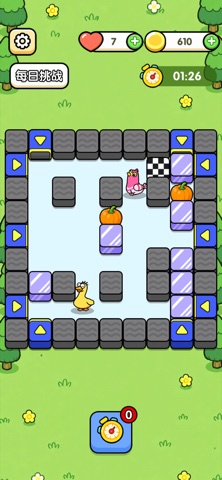
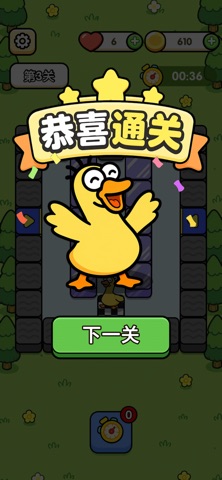
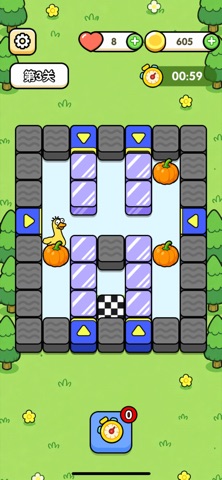
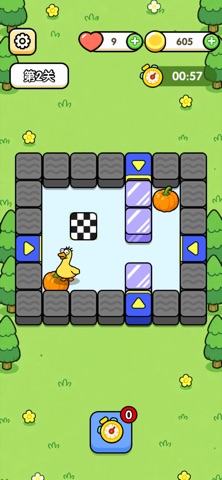
Icon palette
About this app
操控可爱小黄鸭闯荡趣味迷宫,吃光地图里所有南瓜,抵达黑白棋盘终点即可通关。滑动操控紫色区块,规划你的前进路线,小心灰色石块阻挡前路。 两大模式随心玩: 关卡挑战:海量趣味关卡,开动脑筋,收集全部南瓜奔赴终点; 每日挑战:限时刺激玩法,躲避巡逻老鹰,考验你的反应能力。 闯关收获金币,解锁丰富鸭鸭皮肤,各式蔬菜装扮随心搭配,打造独一无二的专属小黄鸭,闲暇时刻来一局,舒缓压力放松心情!
App details
What you can learn from 轻松快解压-鸭鸭觅途
Every shipping app on the App Store has gone through the same decisions you're working through right now: which screenshot goes first, what caption sits over it, which device frame to show, what color the background should be. The 5 screenshots above are 轻松快解压-鸭鸭觅途's answers to those questions — they're public, they're real, and they made it through Apple's review.
What the numbers say: 轻松快解压-鸭鸭觅途 runs a mixed light-and-dark set where the background shifts from screenshot to screenshot (first shot #ACDC64) — each image has to stand on its own, so the captions carry more of the story. The accent colour we picked up, #4C9C4C, is the one to reuse for badges, arrows and highlighted words if you borrow this look. Hit Use this style to open the editor with these exact colours and drop your own screenshot in.
Notice the first screenshot in particular. It's the one users see in search results and on the product page, and it's where most apps spend their best caption and tightest design. Look at the proportion of background to phone, where the text sits, what one thing the image is trying to communicate.
Want to see how other Games apps approach the same problem? Browse more Games apps in the showcase.
Take what works into your own screenshots
Open LaunchShots and design your App Store & Google Play screenshots — pick a device frame, drop captions, ship in minutes. Free, in your browser.
Open the screenshot editor →Apps with a similar look
Closest background + accent colours among the listings we've analysed — useful when you want to see the same palette handled by a different team.