Chart position — tracked daily by LaunchShots
Screenshot style breakdown
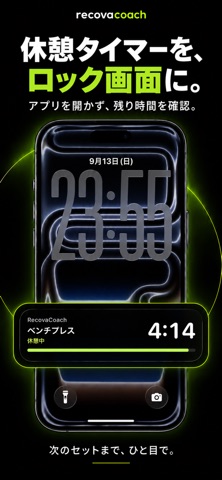
Sampled from 6 of RecovaCoach - 筋トレ記録・分析's App Store screenshots — background, accent and theme, measured by LaunchShots (not something Apple publishes).
#040404 bg
#272727
#F4AC2C accent
#FFFFFF text
Reading the caption text from the screenshots in your browser…
Screenshots




Icon palette
About this app
筋トレを「記録するだけ」のアプリから卒業しませんか。 RecovaCoachは、トレーニングの記録に加えて「回復」まで管理できる筋力トレーニング専用アプリです。 【部位ごとの回復状況が一目でわかる】 胸・背中・脚・肩・腕・体幹など、部位ごとの回復状況を体のイラストで表示。今どの部位が回復済みで、どの部位が回復中かをひと目で確認できます。回復が終わる時刻の目安も表示します。 Proでは、セット数や重量などの記録と、年齢・体型などのプロフィールを反映して、回復にかかる時間を推定します。 【今日のトレーニングを提案】 あなたの分け方(押す・引く・脚など)と回復の状態から、今日の日と部位を提案します。オーバートレーニングを防ぎながら、効率よく鍛えられます。 Proの「今日のメニュー」では、前回の記録から種目ごとの重さ×回数と、その理由、次に重さを上げる条件まで表示します。ジム・家など場所ごとの器具と目的に合わせ、1回の時間(30分・45分まで)を選べば、その時間に収まるように組みます。 【記録はシンプルに、詳細に】 重量×回…
App details
What you can learn from RecovaCoach - 筋トレ記録・分析
Every shipping app on the App Store has gone through the same decisions you're working through right now: which screenshot goes first, what caption sits over it, which device frame to show, what color the background should be. The 8 screenshots above are RecovaCoach - 筋トレ記録・分析's answers to those questions — they're public, they're real, and they made it through Apple's review.
What the numbers say: RecovaCoach - 筋トレ記録・分析 runs a dark set with one background colour (#040404) carried across every screenshot — the listing reads as a single poster when the shots sit side by side in search results. The accent colour we picked up, #F4AC2C, is the one to reuse for badges, arrows and highlighted words if you borrow this look. Hit Use this style to open the editor with these exact colours and drop your own screenshot in.
Notice the first screenshot in particular. It's the one users see in search results and on the product page, and it's where most apps spend their best caption and tightest design. Look at the proportion of background to phone, where the text sits, what one thing the image is trying to communicate.
Want to see how other Health & Fitness apps approach the same problem? Browse more Health & Fitness apps in the showcase.
Take what works into your own screenshots
Open LaunchShots and design your App Store & Google Play screenshots — pick a device frame, drop captions, ship in minutes. Free, in your browser.
Open the screenshot editor →Apps with a similar look
Closest background + accent colours among the listings we've analysed — useful when you want to see the same palette handled by a different team.