Screenshot style breakdown
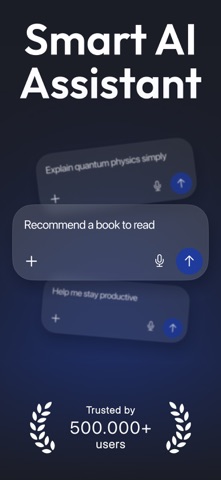
Sampled from 5 of Fenuko Flow: Умный ассистент's App Store screenshots — background, accent and theme, measured by LaunchShots (not something Apple publishes).
#1C1C24 bg
#3B3B42
#1C3C9C accent
#FFFFFF text
Screenshots


Icon palette
About this app
Fenuko Flow — это ИИ-помощник для решения повседневных вопросов, написания текстов, обучения и творческих проектов. Изучайте идеи в диалоге, работайте над следующим черновиком или превращайте текстовую подсказку в изображение — всё в одном месте. ЗАДАВАЙТЕ ВОПРОСЫ И ИССЛЕДУЙТЕ Задавайте вопросы, получайте объяснения и изучайте интересующие вас темы. От понимания сложной концепции до поиска вдохновения для завтрака — начните с того, что приходит вам в голову. ПИШИТЕ С ЦЕЛЬЮ Создавайте черновики электронных писем, писем и постов в социальных сетях. Переписывайте существующий текст, обдумывайте различные подходы и превращайте идеи в слова, которые вы можете использовать. ТВОРИТЕ С ПОМОЩЬЮ ИИ Раскройте своё воображение с помощью генерации изображений. Опишите сцену, тему или настроение и создайте визуальное представление на основе вашей подсказки. Изучите специальные инструменты для созд…
App details
What you can learn from Fenuko Flow: Умный ассистент
Every shipping app on the App Store has gone through the same decisions you're working through right now: which screenshot goes first, what caption sits over it, which device frame to show, what color the background should be. The 5 screenshots above are Fenuko Flow: Умный ассистент's answers to those questions — they're public, they're real, and they made it through Apple's review.
What the numbers say: Fenuko Flow: Умный ассистент runs a dark set with one background colour (#1C1C24) carried across every screenshot — the listing reads as a single poster when the shots sit side by side in search results. The accent colour we picked up, #1C3C9C, is the one to reuse for badges, arrows and highlighted words if you borrow this look. Hit Use this style to open the editor with these exact colours and drop your own screenshot in.
Notice the first screenshot in particular. It's the one users see in search results and on the product page, and it's where most apps spend their best caption and tightest design. Look at the proportion of background to phone, where the text sits, what one thing the image is trying to communicate.
Want to see how other Productivity apps approach the same problem? Browse more Productivity apps in the showcase.
Take what works into your own screenshots
Open LaunchShots and design your App Store & Google Play screenshots — pick a device frame, drop captions, ship in minutes. Free, in your browser.
Open the screenshot editor →Apps with a similar look
Closest background + accent colours among the listings we've analysed — useful when you want to see the same palette handled by a different team.