Chart position — tracked daily by LaunchShots
Screenshot style breakdown
Sampled from 6 of Navatuner's App Store screenshots — background, accent and theme, measured by LaunchShots (not something Apple publishes).
#04140C bg
#27342E
#549464 accent
#FFFFFF text
Reading the caption text from the screenshots in your browser…
Screenshots



iPad screenshots




Icon palette
About this app
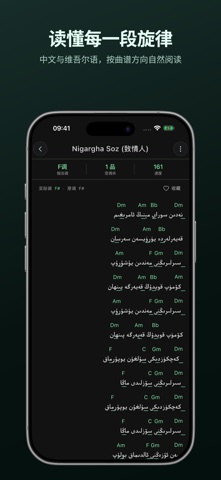
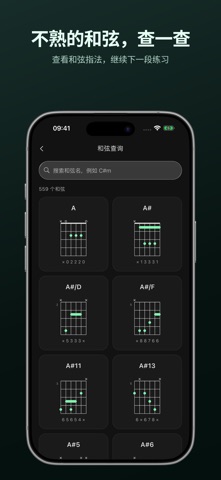
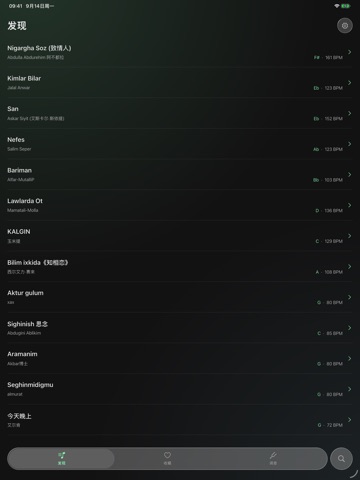
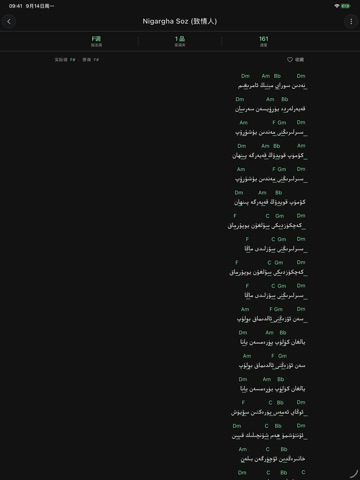
找一首想弹的歌,调到适合自己的调性。 Nava 将曲谱阅读、和弦查询和乐器调音放在一起,帮助你准备每一次练习。 【找谱与阅读】 浏览曲谱,按歌名或歌手搜索。支持中文与维吾尔语界面,维吾尔语曲谱按从右到左的方向排版。 【按自己的方式弹奏】 调整曲谱调性与 Capo(变调夹),在和弦名称、级数和指法图之间切换,并选择适合阅读的字号。 【和弦随时查】 查找和弦名称,查看指法图。练习遇到不熟悉的和弦,可以直接查阅。 【乐器调音】 支持吉他、弹布尔和都塔尔等乐器的调音设置,提供自动识别与手动选弦。麦克风声音在设备上实时处理,不保存为录音、不上传。 【收藏与反馈】 登录后使用云收藏,方便再次找到喜欢的曲谱。遇到曲谱或使用问题,可在 App 内提交反馈并查看处理状态。 无需登录即可使用曲谱浏览、搜索与调音。在线曲谱、搜索及云收藏需要网络连接;目前不承诺已浏览或已收藏曲谱可离线阅读。用户可在隐私设置中撤回联网同意,继续使用本地调音。 支持与反馈:navatuner@wakitfilm.com
App details
What you can learn from Navatuner
Every shipping app on the App Store has gone through the same decisions you're working through right now: which screenshot goes first, what caption sits over it, which device frame to show, what color the background should be. The 12 screenshots above are Navatuner's answers to those questions — they're public, they're real, and they made it through Apple's review.
What the numbers say: Navatuner runs a dark set with one background colour (#04140C) carried across every screenshot — the listing reads as a single poster when the shots sit side by side in search results. The accent colour we picked up, #549464, is the one to reuse for badges, arrows and highlighted words if you borrow this look. Hit Use this style to open the editor with these exact colours and drop your own screenshot in.
Notice the first screenshot in particular. It's the one users see in search results and on the product page, and it's where most apps spend their best caption and tightest design. Look at the proportion of background to phone, where the text sits, what one thing the image is trying to communicate.
Want to see how other Music apps approach the same problem? Browse more Music apps in the showcase.
Take what works into your own screenshots
Open LaunchShots and design your App Store & Google Play screenshots — pick a device frame, drop captions, ship in minutes. Free, in your browser.
Open the screenshot editor →Apps with a similar look
Closest background + accent colours among the listings we've analysed — useful when you want to see the same palette handled by a different team.