Chart position — tracked daily by LaunchShots
Screenshot style breakdown
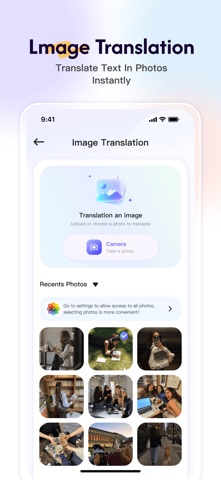
Sampled from 5 of AI Translator- Speak & Scan's App Store screenshots — background, accent and theme, measured by LaunchShots (not something Apple publishes).
#FCFCFC bg
#DDDDDD
#F4B454 accent
#111111 text
Screenshots



Icon palette
About this app
AI Translator で、身の回りの言葉をもっと理解しましょう。 テキストや音声、写真に写った文字をひとつのアプリで翻訳できます。メニューを読むとき、メッセージを確認するとき、異なる言語を話す人と会話するときに、必要な言葉を見つけるお手伝いをします。 テキスト翻訳 単語やフレーズ、長い文章を入力または貼り付けて翻訳できます。翻訳元と言語を選んで結果を確認し、日常のメッセージや学習、仕事のためにコピーまたは共有できます。 音声翻訳 文字を入力する代わりに話しかけましょう。話した言葉をテキストに変換し、選択した言語に翻訳します。質問したいときや考えを伝えたいときに使えます。 会話翻訳 異なる言語を話す人とのコミュニケーションに。会話で使う言語を選び、交互に話して翻訳された返答を確認できます。 カメラ・写真翻訳 写真を撮るか、フォトライブラリから画像を選ぶと、写っている文字を認識して翻訳できます。メニューや標識、お知らせなどの印刷された情報を、入力し直さずに読めます。 日常のさまざまな場面で 旅行中の質問…
App details
What you can learn from AI Translator- Speak & Scan
Every shipping app on the App Store has gone through the same decisions you're working through right now: which screenshot goes first, what caption sits over it, which device frame to show, what color the background should be. The 5 screenshots above are AI Translator- Speak & Scan's answers to those questions — they're public, they're real, and they made it through Apple's review.
What the numbers say: AI Translator- Speak & Scan runs a light set with one background colour (#FCFCFC) carried across every screenshot — the listing reads as a single poster when the shots sit side by side in search results. The accent colour we picked up, #F4B454, is the one to reuse for badges, arrows and highlighted words if you borrow this look. Hit Use this style to open the editor with these exact colours and drop your own screenshot in.
Notice the first screenshot in particular. It's the one users see in search results and on the product page, and it's where most apps spend their best caption and tightest design. Look at the proportion of background to phone, where the text sits, what one thing the image is trying to communicate.
Want to see how other Utilities apps approach the same problem? Browse more Utilities apps in the showcase.
Take what works into your own screenshots
Open LaunchShots and design your App Store & Google Play screenshots — pick a device frame, drop captions, ship in minutes. Free, in your browser.
Open the screenshot editor →Apps with a similar look
Closest background + accent colours among the listings we've analysed — useful when you want to see the same palette handled by a different team.