Chart position — tracked daily by LaunchShots
Screenshot style breakdown
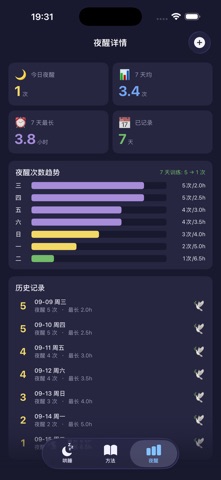
Sampled from 3 of 哄睡记录's App Store screenshots — background, accent and theme, measured by LaunchShots (not something Apple publishes).
#1C1C2C bg
#3B3B49
#A48CDC accent
#FFFFFF text
Screenshots


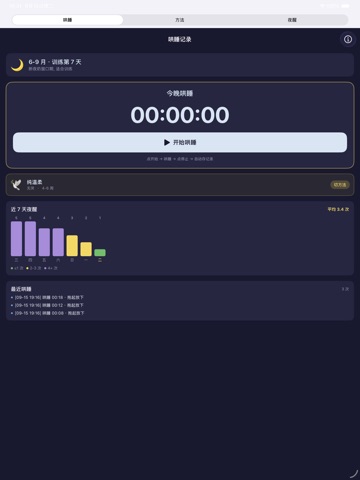
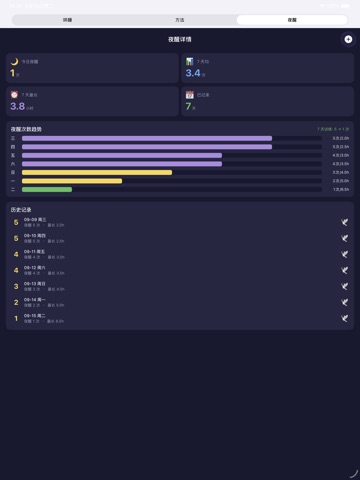
iPad screenshots

Icon palette
About this app
孩子小,抱就抱——可您和爱人已经 8 个月没睡整觉了。 「哄睡记录」是面向 0-36 月龄宝宝家长的哄睡助手,记录每晚入睡 / 夜醒 / 训练阶段,按公开睡眠指南推荐温和法,陪您一起熬过最难的这几个月。 【你会遇到】 儿子 8 个月,每晚夜醒 4-5 次,只能抱睡 + 奶睡。您和爱人轮流值班,8 个月没睡整觉。老人说"孩子小,抱就抱",您觉得该训练了,但网上方法不一,不知道选哪个。打开 app,选"8 月龄" → 主屏显示"自主入睡期,推荐温和法(Ferber 渐进),不推荐哭声免疫"。今晚 21:00 哄睡流程 1 屏看完,睡眠信号 → 关灯 → 白噪音 → 抱睡 5 min → 放下。 【它给你什么】 · 每晚哄睡流程:从睡眠信号到自主入睡,1 屏看完 · 夜醒追踪:每次夜醒时间和时长,7 天 / 30 天趋势 · 4 阶段计划:入睡期 → 巩固期 → 自主期 → 稳定期 · 温和法 + Ferber 渐进:不推荐哭声免疫 · 异常处理:持续哭闹 > 2 小时 / 拒食 / 发热 / 呼吸异常,提示立即就医 · 老人也能看:大字号,无复杂操作,夜间迷糊也能记录 【为什么是"标准答案"型】 参考美国睡眠医学会(AASM)公开睡眠指南、Ferber《Solve Your Child's S…
App details
What you can learn from 哄睡记录
Every shipping app on the App Store has gone through the same decisions you're working through right now: which screenshot goes first, what caption sits over it, which device frame to show, what color the background should be. The 6 screenshots above are 哄睡记录's answers to those questions — they're public, they're real, and they made it through Apple's review.
What the numbers say: 哄睡记录 runs a dark set with one background colour (#1C1C2C) carried across every screenshot — the listing reads as a single poster when the shots sit side by side in search results. The accent colour we picked up, #A48CDC, is the one to reuse for badges, arrows and highlighted words if you borrow this look. Hit Use this style to open the editor with these exact colours and drop your own screenshot in.
Notice the first screenshot in particular. It's the one users see in search results and on the product page, and it's where most apps spend their best caption and tightest design. Look at the proportion of background to phone, where the text sits, what one thing the image is trying to communicate.
Want to see how other Lifestyle apps approach the same problem? Browse more Lifestyle apps in the showcase.
Take what works into your own screenshots
Open LaunchShots and design your App Store & Google Play screenshots — pick a device frame, drop captions, ship in minutes. Free, in your browser.
Open the screenshot editor →Apps with a similar look
Closest background + accent colours among the listings we've analysed — useful when you want to see the same palette handled by a different team.