Chart position — tracked daily by LaunchShots
Screenshot style breakdown
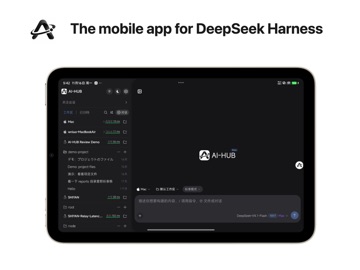
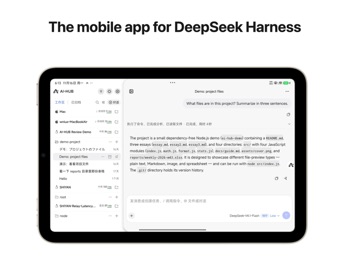
Sampled from 3 of AI-HUB's App Store screenshots — background, accent and theme, measured by LaunchShots (not something Apple publishes).
#FCFCFC bg
#DDDDDD
#34BC6C accent
#111111 text
Screenshots


iPad screenshots

Icon palette
About this app
AI-HUB 是你电脑上 AI 编程会话(DeepSeek Harness)的手机端:它还跑在电脑上,代码跑到哪了、agent 卡在哪一步、刚改的文件长什么样,掏出手机就能看,也能接着聊。AI-HUB 是第三方客户端,与 DeepSeek 无隶属关系。 什么时候用得上 通勤路上想确认那版改了没有;人在外面等结果,agent 停下来问你一句;睡前躺床上把白天没聊完的那段收个尾。 设备 iPhone、iPhone Duo 与 iPad 都能用。折叠机展开内屏、或 iPad 这样的宽窗口,会自动切成左右并排的版式。 扫码配对 电脑上打开插件面板,二维码用手机扫一下就配好。不用记 IP,不用配端口,也不用折腾内网穿透。 会话都在一个列表里 按设备和项目分组,正在跑的、等你确认的、刚跑完的,状态一眼就看出来。 接着聊,不只是看 在手机上继续对话:看 agent 一步步调工具、跑命令、改文件,随时插话改方向。可以发图片、引用文件、用语音输入。 工具调用看得见 每条命令、每次文件改动、每段输出都能点开看详情,长输出不会再糊成一屏。 文件与预览 会话产出的文件可以直接打开;电脑上起了本地服务,手机上也…
App details
What you can learn from AI-HUB
Every shipping app on the App Store has gone through the same decisions you're working through right now: which screenshot goes first, what caption sits over it, which device frame to show, what color the background should be. The 6 screenshots above are AI-HUB's answers to those questions — they're public, they're real, and they made it through Apple's review.
What the numbers say: AI-HUB runs a light set with one background colour (#FCFCFC) carried across every screenshot — the listing reads as a single poster when the shots sit side by side in search results. The accent colour we picked up, #34BC6C, is the one to reuse for badges, arrows and highlighted words if you borrow this look. Hit Use this style to open the editor with these exact colours and drop your own screenshot in.
Notice the first screenshot in particular. It's the one users see in search results and on the product page, and it's where most apps spend their best caption and tightest design. Look at the proportion of background to phone, where the text sits, what one thing the image is trying to communicate.
Want to see how other Developer Tools apps approach the same problem? Browse more Developer Tools apps in the showcase.
Take what works into your own screenshots
Open LaunchShots and design your App Store & Google Play screenshots — pick a device frame, drop captions, ship in minutes. Free, in your browser.
Open the screenshot editor →Apps with a similar look
Closest background + accent colours among the listings we've analysed — useful when you want to see the same palette handled by a different team.