Chart position — tracked daily by LaunchShots
Screenshot style breakdown
Sampled from 6 of أمالي's App Store screenshots — background, accent and theme, measured by LaunchShots (not something Apple publishes).
#FCFCFC bg
#DDDDDD
#5C2C4C accent
#111111 text
Screenshots


iPad screenshots




Icon palette
About this app
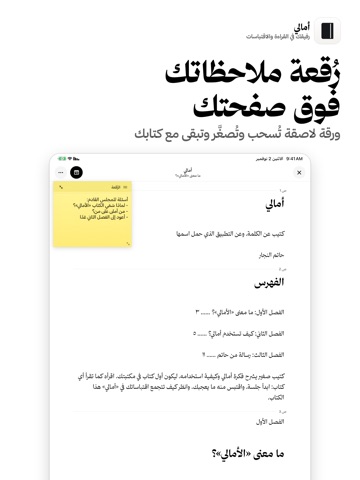
أمالي رفيق القراءة الشخصي: تقرأ، وتقتبس، وترى كم قرأت. وكل ما تكتبه يبقى ملكك، في ملفات عادية على جوالك. • جلسات قراءة عدّاد يبدأ بلمسة. وحين تنهي الجلسة يسألك أين وقفت، ثم يعرض ملخصها: المدة والصفحات والاقتباسات، وأين صرت من هدف اليوم. وتجد الجلسة على شاشة القفل وفي الجزيرة الديناميكية، وتوقفها وتستأنفها من هناك دون فتح التطبيق. • اقتباسات لا تضيع اكتب الاقتباس، أو صوّر الصفحة فيستخرج التطبيق نصها، أو حدّده من ملف PDF أو EPUB. يرتبط كل اقتباس بصفحته وفصله تلقائيًا، وتضيف تعليقك تحته. ثم ابحث في اقتباساتك كلها من مكان واحد. • اقرأ داخل أمالي أضف كتبك بصيغة PDF أو EPUB واقرأها في التطبيق. ابحث داخل الكتاب أو في مكتبتك كلها، وحدّد المقطع لاقتباسه، وارسم وظلّل بقلم أبل على صفحات PDF، ودوّن ملاحظاتك على «رُقعة» لاصقة تطفو فوق الصفحة وتبقى مع كتابك. والكتب الممسوحة تُقرأ بوضوح دون أن يفسدها ختم الناشر أو الترويسات. • مكتبة بأغلفتها ابحث عن الكتاب بعنوانه فيجلب التطبيق غلافه وصفحاته من مص…
App details
What you can learn from أمالي
Every shipping app on the App Store has gone through the same decisions you're working through right now: which screenshot goes first, what caption sits over it, which device frame to show, what color the background should be. The 17 screenshots above are أمالي's answers to those questions — they're public, they're real, and they made it through Apple's review.
What the numbers say: أمالي runs a mixed light-and-dark set where the background shifts from screenshot to screenshot (first shot #FCFCFC) — each image has to stand on its own, so the captions carry more of the story. The accent colour we picked up, #5C2C4C, is the one to reuse for badges, arrows and highlighted words if you borrow this look. Hit Use this style to open the editor with these exact colours and drop your own screenshot in.
Notice the first screenshot in particular. It's the one users see in search results and on the product page, and it's where most apps spend their best caption and tightest design. Look at the proportion of background to phone, where the text sits, what one thing the image is trying to communicate.
Want to see how other Book apps approach the same problem? Browse more Book apps in the showcase.
Take what works into your own screenshots
Open LaunchShots and design your App Store & Google Play screenshots — pick a device frame, drop captions, ship in minutes. Free, in your browser.
Open the screenshot editor →Apps with a similar look
Closest background + accent colours among the listings we've analysed — useful when you want to see the same palette handled by a different team.