Chart position — tracked daily by LaunchShots
Screenshot changes — detected by LaunchShots
Screenshot style breakdown
Sampled from 4 of BMW Driver's Guide's App Store screenshots — background, accent and theme, measured by LaunchShots (not something Apple publishes).
#FCFCFC bg
#DDDDDD
#5C84A4 accent
#111111 text
Screenshots
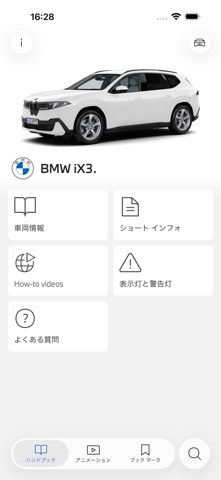
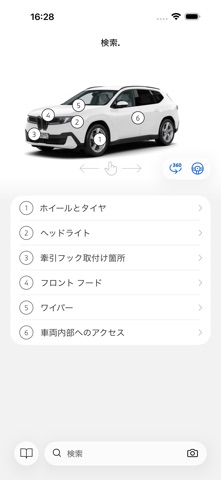
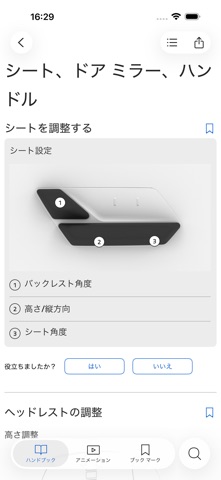

iPad screenshots


Icon palette
About this app
BMW Driver's Guideには、BMW、BMW i、BMW M*の各モデルに関する重要な車両情報が掲載されています。 ワンクリックで、車両や装備の操作方法を知ることができます。解説アニメーション、画像検索、よくある質問への回答など、さまざまな機能を搭載しています。 車両識別番号(VIN)を入力すると、適切なモデル固有の車両情報がダウンロードされ、オフラインでも利用できます。BMW Driver's Guideで複数の車両を管理できます。 車両識別番号(VIN)をお持ちでない場合は、BMWのデモ車両を探索してください。 BMW Driver's Guideの概要: • ナビゲーション、コミュニケーション、エンターテイメントを含む、モデル別オーナー・ハンドブック • 解説アニメーションとパーソナライズされた使い方の動画 • インジケーターや警告灯の説明 • クイック・リンクと簡単な情報 • 360°ビュー: BMWモデルのインテリアとエクステリアをインタラクティブに探索 • トピック別検索 • 車両の写真から機能を検索 • よくある質問(FAQ)への回答 • Apple iPhone用スマート・スキャン: …
App details
What you can learn from BMW Driver's Guide
Every shipping app on the App Store has gone through the same decisions you're working through right now: which screenshot goes first, what caption sits over it, which device frame to show, what color the background should be. The 8 screenshots above are BMW Driver's Guide's answers to those questions — they're public, they're real, and they made it through Apple's review.
What the numbers say: BMW Driver's Guide runs a light set with one background colour (#FCFCFC) carried across every screenshot — the listing reads as a single poster when the shots sit side by side in search results. The accent colour we picked up, #5C84A4, is the one to reuse for badges, arrows and highlighted words if you borrow this look. Hit Use this style to open the editor with these exact colours and drop your own screenshot in.
Notice the first screenshot in particular. It's the one users see in search results and on the product page, and it's where most apps spend their best caption and tightest design. Look at the proportion of background to phone, where the text sits, what one thing the image is trying to communicate.
Want to see how other Reference apps approach the same problem? Browse more Reference apps in the showcase.
Take what works into your own screenshots
Open LaunchShots and design your App Store & Google Play screenshots — pick a device frame, drop captions, ship in minutes. Free, in your browser.
Open the screenshot editor →Apps with a similar look
Closest background + accent colours among the listings we've analysed — useful when you want to see the same palette handled by a different team.