Chart position — tracked daily by LaunchShots
Screenshot changes — detected by LaunchShots
Screenshot style breakdown
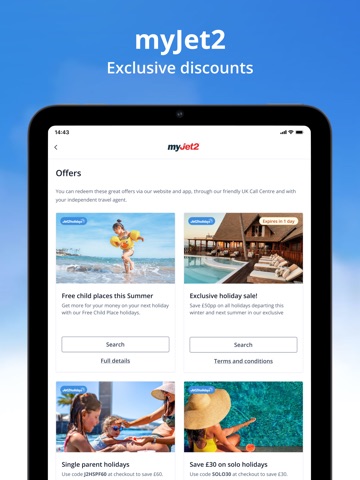
Sampled from 6 of Jet2 - Holidays and Flights's App Store screenshots — background, accent and theme, measured by LaunchShots (not something Apple publishes).
#448CC4 bg
#5E9CCC
#8CC4E4 accent
#FFFFFF text
Screenshots


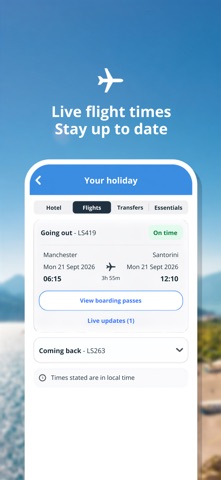


iPad screenshots




Icon palette
About this app
Dreaming of your next trip? Looking for cheap holidays, flights and package holidays all in one place? The Jet2 holiday app makes it easy to search, book and manage your next getaway, whether you're planning a summer holiday, beach holiday, family holiday, city break or last-minute escape. Searching for flights and holiday deals? Need a holiday planner to organise every part of your trip? The Jet2 app helps you discover great flight deals, compare package holidays, track your holiday countdown and manage your booking from start to finish. Choose from beach holidays, family holidays, city breaks, villa getaways and luxury escapes across our wide range of destinations. Whether you're looking for cheap holidays to Spain, Greece, Italy and beyond, or searching for last-minute holiday deals, you'll find plenty of options in our easy-to-use holiday app. As the UK's largest tour operator a…
App details
What you can learn from Jet2 - Holidays and Flights
Every shipping app on the App Store has gone through the same decisions you're working through right now: which screenshot goes first, what caption sits over it, which device frame to show, what color the background should be. The 19 screenshots above are Jet2 - Holidays and Flights's answers to those questions — they're public, they're real, and they made it through Apple's review.
What the numbers say: Jet2 - Holidays and Flights runs a mixed light-and-dark set where the background shifts from screenshot to screenshot (first shot #448CC4) — each image has to stand on its own, so the captions carry more of the story. The accent colour we picked up, #8CC4E4, is the one to reuse for badges, arrows and highlighted words if you borrow this look. Hit Use this style to open the editor with these exact colours and drop your own screenshot in.
Notice the first screenshot in particular. It's the one users see in search results and on the product page, and it's where most apps spend their best caption and tightest design. Look at the proportion of background to phone, where the text sits, what one thing the image is trying to communicate.
Want to see how other Travel apps approach the same problem? Browse more Travel apps in the showcase.
Take what works into your own screenshots
Open LaunchShots and design your App Store & Google Play screenshots — pick a device frame, drop captions, ship in minutes. Free, in your browser.
Open the screenshot editor →Apps with a similar look
Closest background + accent colours among the listings we've analysed — useful when you want to see the same palette handled by a different team.