Chart position — tracked daily by LaunchShots
Screenshot style breakdown
Sampled from 3 of MagicalDraw's App Store screenshots — background, accent and theme, measured by LaunchShots (not something Apple publishes).
#FCFCFC bg
#DDDDDD
#ECDC94 accent
#111111 text
Screenshots
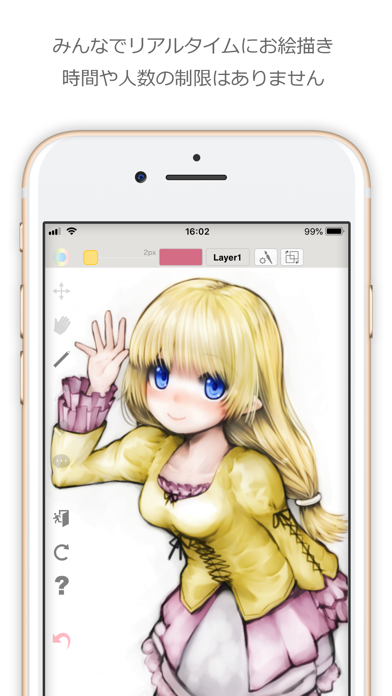
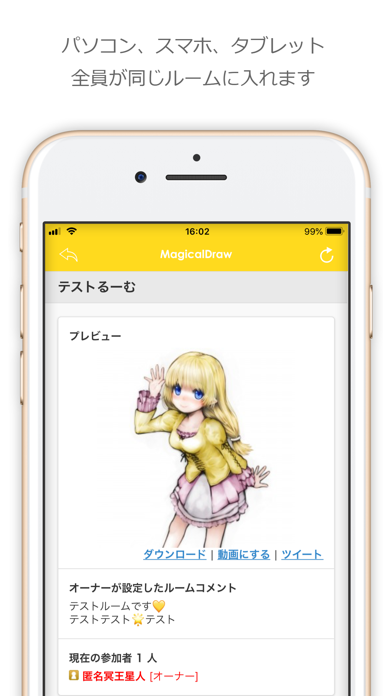
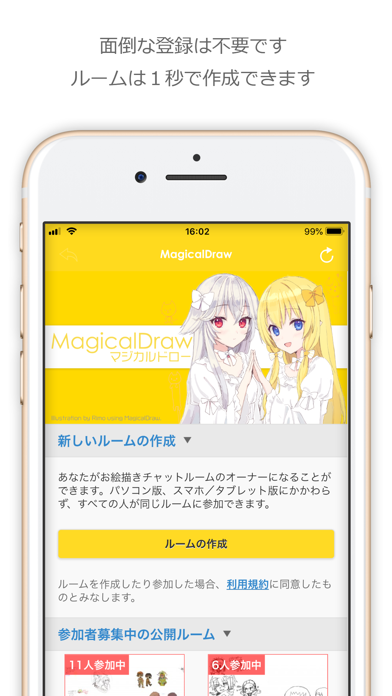
iPad screenshots


Icon palette
About this app
MagicalDrawは、無料で登録不要のお絵かきチャットサービスです。 お絵かきチャットルームをすぐに作成できます。 非公開のルームを作成してお友達とお絵描きしたり、 公開ルームで匿名のお絵描きコミュニケーションができます。 - すべてが無料のお絵かきチャットを1秒で作成できます。 - 登録は不要。ボタンを押すだけです。 - 広大なキャンバスサイズは自由に変更可能です。 - レイヤー機能はもちろん、手ぶれ補正もあり。ApplePencilにも対応。 - 人数制限が無いので大人数でも利用でき、時間制限もありません。 - 作成したルームはずっと使えます。描いた絵も消えません。 - タイムシフトやリプレイ機能により任意のタイミングへの巻き戻しや見返しができます。 - タイムラプス機能により動画の作成もできます。 - 画像の読込、保存と復元なども搭載しています。 - 認証機能が充実。パスワードはもちろん、Twitterとの連携も可能です。 - 尊いあの人の絵をなでなで可能。もちろんイカの足も使用できます。 - 『お絵かきの沼』などのみんなで楽しめるゲームも…
App details
What you can learn from MagicalDraw
Every shipping app on the App Store has gone through the same decisions you're working through right now: which screenshot goes first, what caption sits over it, which device frame to show, what color the background should be. The 6 screenshots above are MagicalDraw's answers to those questions — they're public, they're real, and they made it through Apple's review.
What the numbers say: MagicalDraw runs a light set with one background colour (#FCFCFC) carried across every screenshot — the listing reads as a single poster when the shots sit side by side in search results. The accent colour we picked up, #ECDC94, is the one to reuse for badges, arrows and highlighted words if you borrow this look. Hit Use this style to open the editor with these exact colours and drop your own screenshot in.
Notice the first screenshot in particular. It's the one users see in search results and on the product page, and it's where most apps spend their best caption and tightest design. Look at the proportion of background to phone, where the text sits, what one thing the image is trying to communicate.
Want to see how other Graphics & Design apps approach the same problem? Browse more Graphics & Design apps in the showcase.
Take what works into your own screenshots
Open LaunchShots and design your App Store & Google Play screenshots — pick a device frame, drop captions, ship in minutes. Free, in your browser.
Open the screenshot editor →Apps with a similar look
Closest background + accent colours among the listings we've analysed — useful when you want to see the same palette handled by a different team.