Screenshot style breakdown
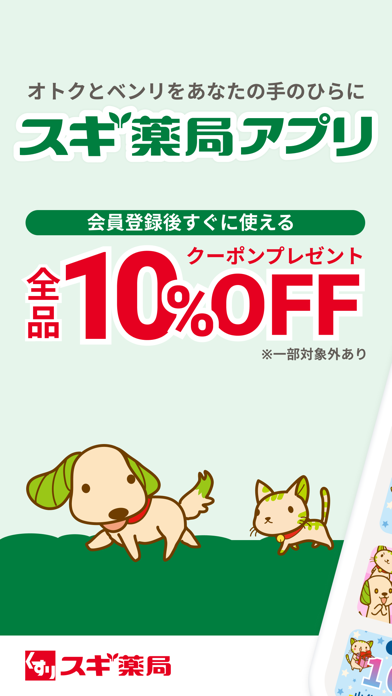
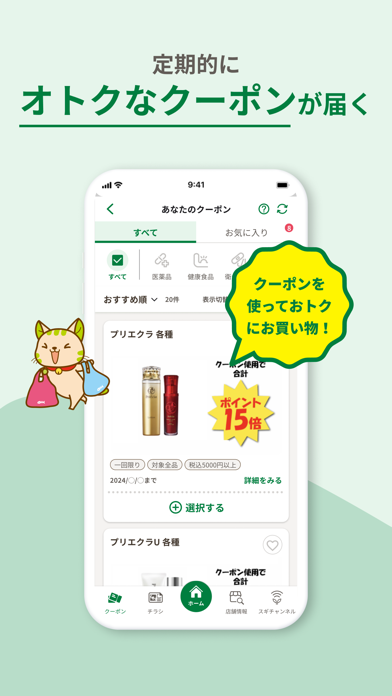
Sampled from 6 of スギ薬局アプリ-お店で使える割引クーポンアプリ's App Store screenshots — background, accent and theme, measured by LaunchShots (not something Apple publishes).
#E4F4EC bg
#C8D6CF
#047C3C accent
#111111 text
Screenshots



Icon palette
About this app
スギ薬局グループのご利用がお得に便利になる公式アプリです。 ▼スギ薬局アプリの特徴▼ ・クーポンでお買い物がお得に ・アプリ会員証でポイントが貯まる ・スギ薬局・ジャパンのお店で使えるバーコード決済 ・お役立ち情報が盛りだくさん ・チラシ情報を手軽にチェック ・スマホで簡単にキャンペーン応募 ▼機能・サービスの詳細▼ ◎アプリ会員証 アプリのホーム画面に表示されたバーコードをレジで見せるだけでお買い物金額に応じたポイントが貯まる!貯めたポイントは素敵な景品や店内商品、お買物券と交換いただけます。 ポイント残高はスマホでいつでも確認できます。 ※紙のスギポイントカードをお持ちの方はアプリに紐付けることができます。 ※アプリ会員証やクーポン、その他機能のご利用にはアプリ会員登録・ログインが必要です。 ◎スギPay スギPayは、スギ薬局アプリに入っている、スギ薬局・ジャパンのお店で使えるプリペイド式のバーコード決済サービスです。 お金のチャージ(入金)は、お客様ご自身の銀行口座、または、店頭レジにて行っていただきます…
App details
What you can learn from スギ薬局アプリ-お店で使える割引クーポンアプリ
Every shipping app on the App Store has gone through the same decisions you're working through right now: which screenshot goes first, what caption sits over it, which device frame to show, what color the background should be. The 8 screenshots above are スギ薬局アプリ-お店で使える割引クーポンアプリ's answers to those questions — they're public, they're real, and they made it through Apple's review.
What the numbers say: スギ薬局アプリ-お店で使える割引クーポンアプリ runs a light set with one background colour (#E4F4EC) carried across every screenshot — the listing reads as a single poster when the shots sit side by side in search results. The accent colour we picked up, #047C3C, is the one to reuse for badges, arrows and highlighted words if you borrow this look. Hit Use this style to open the editor with these exact colours and drop your own screenshot in.
Notice the first screenshot in particular. It's the one users see in search results and on the product page, and it's where most apps spend their best caption and tightest design. Look at the proportion of background to phone, where the text sits, what one thing the image is trying to communicate.
Want to see how other Lifestyle apps approach the same problem? Browse more Lifestyle apps in the showcase.
Take what works into your own screenshots
Open LaunchShots and design your App Store & Google Play screenshots — pick a device frame, drop captions, ship in minutes. Free, in your browser.
Open the screenshot editor →Apps with a similar look
Closest background + accent colours among the listings we've analysed — useful when you want to see the same palette handled by a different team.