Chart position — tracked daily by LaunchShots
Screenshot style breakdown
Sampled from 6 of dマガジン-人気雑誌が読み放題の電子書籍アプリ's App Store screenshots — background, accent and theme, measured by LaunchShots (not something Apple publishes).
#04945C bg
#27A272
#FCC404 accent
#FFFFFF text
Screenshots




iPad screenshots


Icon palette
About this app
人気雑誌2,400誌以上!最新号も今すぐ読める雑誌サブスクアプリ。バックナンバー含む4,300冊以上が読み放題! ◇◆dマガジンの特長◆◇ ・人気の定期雑誌2,400誌以上&バックナンバー含む4,300冊以上が読み放題。最新号も読める雑誌アプリ ・定期雑誌のほか、旅行ガイドやヘアカタログ、期間限定テーマで取り揃えたムック・増刊を配信 ・「ホーム」では18のジャンルで掲載しているからアプリで読みたい雑誌が見つけやすい ・「おすすめ」ではお客さまに合わせてセレクトされた雑誌・記事と出会える ・新機能「フィード(β)」ではフォローした項目の最新記事を簡単にチェックできる ・「さがす」ではキーワードから記事検索や100を超えるサブジャンルから趣味・嗜好に合わせた雑誌を探せる ・「お気に入り」登録すると、自分専用の「お気に入り」本棚ができ、雑誌の新着通知が届いて便利 ・「マイページ」では最近読んだ雑誌や「あとで読む」登録した雑誌や「しおり」登録した記事を見ることができる ・雑誌をダウンロードした後はオフライン環境でもアプ…
App details
What you can learn from dマガジン-人気雑誌が読み放題の電子書籍アプリ
Every shipping app on the App Store has gone through the same decisions you're working through right now: which screenshot goes first, what caption sits over it, which device frame to show, what color the background should be. The 14 screenshots above are dマガジン-人気雑誌が読み放題の電子書籍アプリ's answers to those questions — they're public, they're real, and they made it through Apple's review.
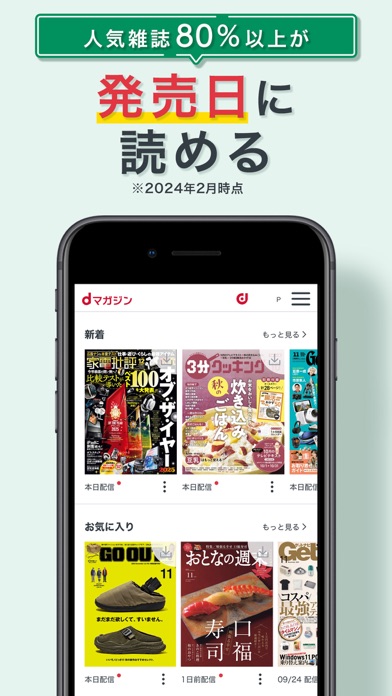
What the numbers say: dマガジン-人気雑誌が読み放題の電子書籍アプリ runs a mixed light-and-dark set where the background shifts from screenshot to screenshot (first shot #04945C) — each image has to stand on its own, so the captions carry more of the story. The accent colour we picked up, #FCC404, is the one to reuse for badges, arrows and highlighted words if you borrow this look. Hit Use this style to open the editor with these exact colours and drop your own screenshot in.
Notice the first screenshot in particular. It's the one users see in search results and on the product page, and it's where most apps spend their best caption and tightest design. Look at the proportion of background to phone, where the text sits, what one thing the image is trying to communicate.
Want to see how other Book apps approach the same problem? Browse more Book apps in the showcase.
Take what works into your own screenshots
Open LaunchShots and design your App Store & Google Play screenshots — pick a device frame, drop captions, ship in minutes. Free, in your browser.
Open the screenshot editor →Apps with a similar look
Closest background + accent colours among the listings we've analysed — useful when you want to see the same palette handled by a different team.