Chart position — tracked daily by LaunchShots
Screenshot style breakdown
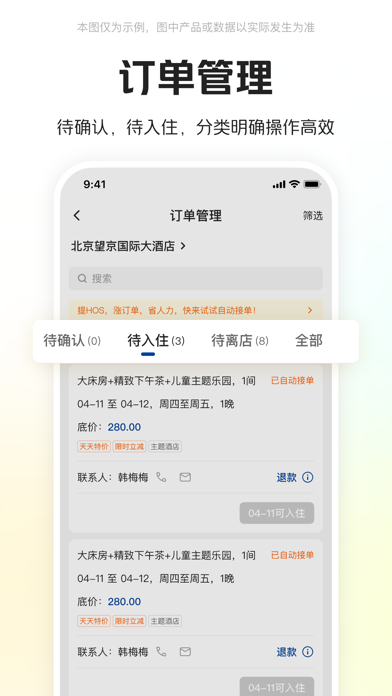
Sampled from 5 of 美团酒店商家's App Store screenshots — background, accent and theme, measured by LaunchShots (not something Apple publishes).
#FCFCFC bg
#DDDDDD
#04448C accent
#111111 text
Screenshots



Icon palette
About this app
美团酒店商家版,专为和美团合作的酒店商家量身打造,从此摆脱电脑束缚,让您随时随地查看和管理与美团的合作,一键查看项目数据、搜寻同行信息、回复评价、更改房态等,一应俱全。美团酒店商家,祝您成功。 【主要功能】 1.手机接单、开关房,特方便 2.查看评论、自助改价、验证美团券等 3.快速了解您和对手的销售数据 4.一键找到您的专属业务经理 【联系我们】 美团酒店商家交流QQ群:322588420
App details
What you can learn from 美团酒店商家
Every shipping app on the App Store has gone through the same decisions you're working through right now: which screenshot goes first, what caption sits over it, which device frame to show, what color the background should be. The 5 screenshots above are 美团酒店商家's answers to those questions — they're public, they're real, and they made it through Apple's review.
What the numbers say: 美团酒店商家 runs a light set with one background colour (#FCFCFC) carried across every screenshot — the listing reads as a single poster when the shots sit side by side in search results. The accent colour we picked up, #04448C, is the one to reuse for badges, arrows and highlighted words if you borrow this look. Hit Use this style to open the editor with these exact colours and drop your own screenshot in.
Notice the first screenshot in particular. It's the one users see in search results and on the product page, and it's where most apps spend their best caption and tightest design. Look at the proportion of background to phone, where the text sits, what one thing the image is trying to communicate.
Want to see how other Business apps approach the same problem? Browse more Business apps in the showcase.
Take what works into your own screenshots
Open LaunchShots and design your App Store & Google Play screenshots — pick a device frame, drop captions, ship in minutes. Free, in your browser.
Open the screenshot editor →Apps with a similar look
Closest background + accent colours among the listings we've analysed — useful when you want to see the same palette handled by a different team.