Chart position — tracked daily by LaunchShots
Screenshot changes — detected by LaunchShots
Screenshot style breakdown
Sampled from 5 of 嘀嗒出行-顺风车出租车出行必用's App Store screenshots — background, accent and theme, measured by LaunchShots (not something Apple publishes).
#FCFCFC bg
#DDDDDD
#FC5404 accent
#111111 text
Screenshots


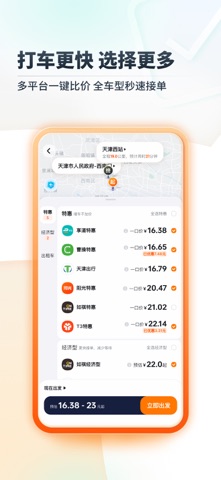

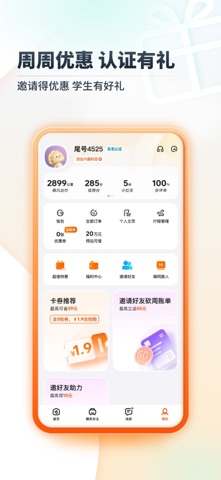
Icon palette
About this app
* 天天打车太贵?预约顺风车,里程越远越便宜,一口价更实惠! * 急事出门用打车,极速响应随叫随到,安全舒适有保障。 「站点拼车」——乘客都说体验好: 价格低:超低一口价,乘客车费轻松省 效率高:智能推荐车主路线,上下车多站点选择 绕路少:与顺路拼友共享快捷出行,多人拼车不绕路 保障全:全程安全护航,高额行程保险,7X24小时安全专线 来!一起了解「站点拼车」 乘客打开「嘀嗒出行」App或「嘀嗒顺风车」微信小程序,输入出发点、目的地即可下单。继续勾选「站点拼车」,点击「立即预约顺风车」后,可查看自己行程路线的上/下车站点信息,点击「确认并预约」下单后,等候车主接单。 「站点拼车」为多人分享合乘,为保障同车拼友出行效率,「站点拼车」优化了行程路径规划,有效减少合乘途中,车主因接送同车拼友产生的绕路里程,也节省了车主乘客关于上下车位置的沟通成本。 嘀嗒出行(前身「嘀嗒拼车」)自2014年成立至今,始终以「让出行生态系统更高效和环保,让每次出行变得温暖和愉悦」为使命,「让路上没有空座」为愿景,专注顺风车和出租车发…
App details
What you can learn from 嘀嗒出行-顺风车出租车出行必用
Every shipping app on the App Store has gone through the same decisions you're working through right now: which screenshot goes first, what caption sits over it, which device frame to show, what color the background should be. The 5 screenshots above are 嘀嗒出行-顺风车出租车出行必用's answers to those questions — they're public, they're real, and they made it through Apple's review.
What the numbers say: 嘀嗒出行-顺风车出租车出行必用 runs a light set with one background colour (#FCFCFC) carried across every screenshot — the listing reads as a single poster when the shots sit side by side in search results. The accent colour we picked up, #FC5404, is the one to reuse for badges, arrows and highlighted words if you borrow this look. Hit Use this style to open the editor with these exact colours and drop your own screenshot in.
Notice the first screenshot in particular. It's the one users see in search results and on the product page, and it's where most apps spend their best caption and tightest design. Look at the proportion of background to phone, where the text sits, what one thing the image is trying to communicate.
Want to see how other Travel apps approach the same problem? Browse more Travel apps in the showcase.
Take what works into your own screenshots
Open LaunchShots and design your App Store & Google Play screenshots — pick a device frame, drop captions, ship in minutes. Free, in your browser.
Open the screenshot editor →Apps with a similar look
Closest background + accent colours among the listings we've analysed — useful when you want to see the same palette handled by a different team.