Chart position — tracked daily by LaunchShots
Screenshot changes — detected by LaunchShots
Screenshot style breakdown
Sampled from 6 of Keep - AI 运动教练's App Store screenshots — background, accent and theme, measured by LaunchShots (not something Apple publishes).
#34243C bg
#504257
#9C7CFC accent
#FFFFFF text
Screenshots

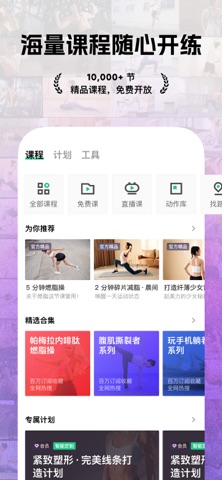

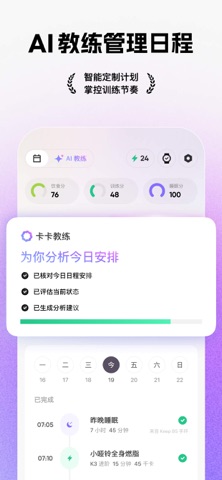



iPad screenshots


Icon palette
About this app
Keep 9.1 全新升级,越练,越懂,越健康! 在 Keep,与 4 亿运动爱好者共同见证专业与科技的完美融合。Keep 9.1 继续围绕 AI 运动教练体验进化:从训练安排、健身记录、跑步陪伴,到吃练睡数据解析与身体状态洞察,让每一次运动都更清晰、更有反馈。 基于 Keep 运动健康大模型 Keepace.ai,AI 教练更懂你的训练节奏与身体变化。无论你是在家跟练、户外跑步,还是在健身房进行力量训练,Keep 都将陪你更科学地运动,也更深入地了解自己。 你是否也曾遇到这些困扰: - 想在家运动,空有热情但无从下手? - 想跟练课程,却无法根据自己的需求做出选择? - 在健身房训练时,器械、组数、重量、次数总是不好记录? - 跑步计划难以坚持,希望有人在过程中提醒、反馈和陪伴? - 吃、练、睡数据散落各处,看不懂背后的身体变化? - 想了解自己的身体状态,却缺少一个更直观的参考? - 想控制饮食,却不清楚每顿饭的热量缺口到底是多少? Keep 解决方案: 【海量课程,随心开练】 万节专业精品课程持续开放,覆盖减脂、增肌、塑形、拉伸等多种训练目标。无论你是运动新手,…
App details
What you can learn from Keep - AI 运动教练
Every shipping app on the App Store has gone through the same decisions you're working through right now: which screenshot goes first, what caption sits over it, which device frame to show, what color the background should be. The 16 screenshots above are Keep - AI 运动教练's answers to those questions — they're public, they're real, and they made it through Apple's review.
What the numbers say: Keep - AI 运动教练 runs a mixed light-and-dark set where the background shifts from screenshot to screenshot (first shot #34243C) — each image has to stand on its own, so the captions carry more of the story. The accent colour we picked up, #9C7CFC, is the one to reuse for badges, arrows and highlighted words if you borrow this look. Hit Use this style to open the editor with these exact colours and drop your own screenshot in.
Notice the first screenshot in particular. It's the one users see in search results and on the product page, and it's where most apps spend their best caption and tightest design. Look at the proportion of background to phone, where the text sits, what one thing the image is trying to communicate.
Want to see how other Health & Fitness apps approach the same problem? Browse more Health & Fitness apps in the showcase.
Take what works into your own screenshots
Open LaunchShots and design your App Store & Google Play screenshots — pick a device frame, drop captions, ship in minutes. Free, in your browser.
Open the screenshot editor →Apps with a similar look
Closest background + accent colours among the listings we've analysed — useful when you want to see the same palette handled by a different team.