Chart position — tracked daily by LaunchShots
Screenshot changes — detected by LaunchShots
Screenshot style breakdown
Sampled from 6 of Everli - Spesa online's App Store screenshots — background, accent and theme, measured by LaunchShots (not something Apple publishes).
#FCF4EC bg
#DDD6CF
#4C8C34 accent
#111111 text
Reading the caption text from the screenshots in your browser…
Screenshots


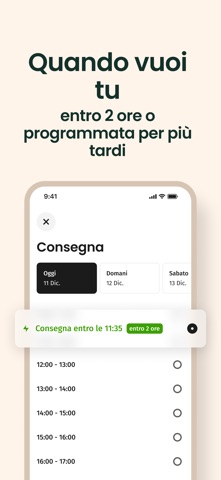

iPad screenshots


Icon palette
About this app
Affidati alle mani esperte di Everli e vivi una vita più serena. Con Everli fai la spesa online scegliendo i tuoi prodotti preferiti tra i migliori supermercati vicino a te. Il tuo Shopper saprà scegliere ogni prodotto con cura e riconoscere ogni tua esigenza e ti consegnerà l’ordine nel giorno e all’orario che preferisci. + Scegli tu il supermercato tra quelli nella tua zona. + Ricevi l'aiuto di uno Shopper formato per scegliere i prodotti migliori. + Scegli l’orario di consegna e aggiungi o togli prodotti fino all'ultimo momento. + Scegli come pagare: carta di credito, in contanti alla consegna o con Apple Pay. + Risparmia tempo e denaro grazie alle promozioni esclusive Everli. Al momento il servizio è attivo nelle seguenti PROVINCE: Roma, Milano, Torino, Verona, Bologna, Padova, Genova, Vicenza, Brescia, Modena, Varese, Bergamo, Monza Brianza, Treviso, Venezia, Mantova, Forlì-Cesen…
App details
What you can learn from Everli - Spesa online
Every shipping app on the App Store has gone through the same decisions you're working through right now: which screenshot goes first, what caption sits over it, which device frame to show, what color the background should be. The 12 screenshots above are Everli - Spesa online's answers to those questions — they're public, they're real, and they made it through Apple's review.
What the numbers say: Everli - Spesa online runs a mixed light-and-dark set where the background shifts from screenshot to screenshot (first shot #FCF4EC) — each image has to stand on its own, so the captions carry more of the story. The accent colour we picked up, #4C8C34, is the one to reuse for badges, arrows and highlighted words if you borrow this look. Hit Use this style to open the editor with these exact colours and drop your own screenshot in.
Notice the first screenshot in particular. It's the one users see in search results and on the product page, and it's where most apps spend their best caption and tightest design. Look at the proportion of background to phone, where the text sits, what one thing the image is trying to communicate.
Want to see how other Food & Drink apps approach the same problem? Browse more Food & Drink apps in the showcase.
Take what works into your own screenshots
Open LaunchShots and design your App Store & Google Play screenshots — pick a device frame, drop captions, ship in minutes. Free, in your browser.
Open the screenshot editor →Apps with a similar look
Closest background + accent colours among the listings we've analysed — useful when you want to see the same palette handled by a different team.