Chart position — tracked daily by LaunchShots
Screenshot style breakdown
Sampled from 3 of 複数カウンター's App Store screenshots — background, accent and theme, measured by LaunchShots (not something Apple publishes).
#FCFCFC bg
#DDDDDD
#4CDC64 accent
#111111 text
Reading the caption text from the screenshots in your browser…
Screenshots
Icon palette
About this app
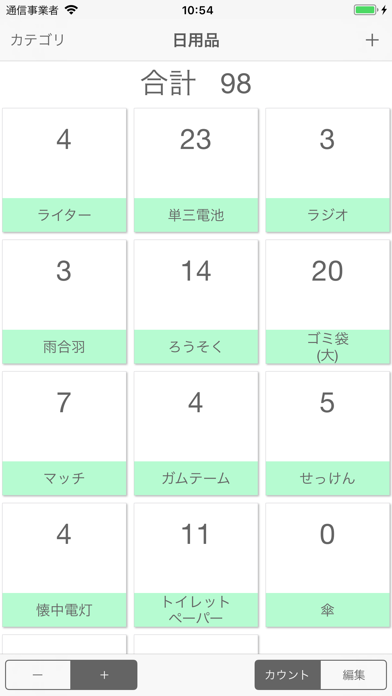
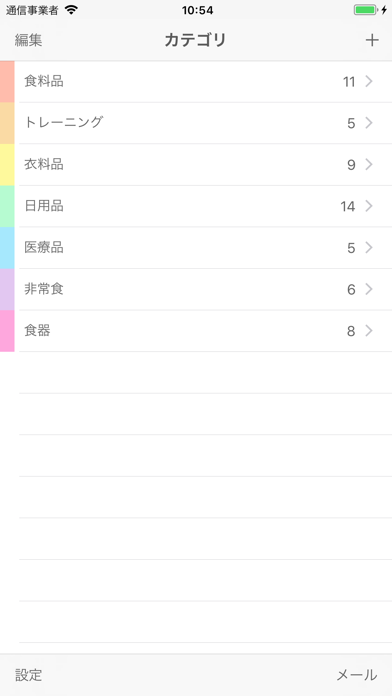
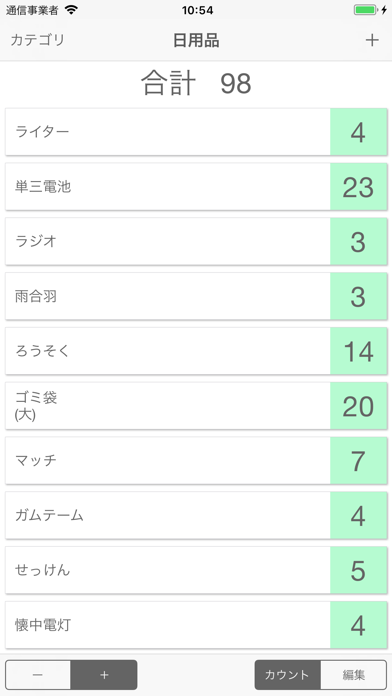
いくつでもカウンターを作成できます。 カウンターを利用シーンに合わせていくつでも作れるので、日用品や食料品の在庫管理、筋トレの回数などをどんどん記録できる! 【利用例】 ・非常食チェック ・災害時の品物チェック ・冷蔵庫内の食材チェック ・衣料品チェック ・食器の個数チェック ・筋トレ回数記録 ・本の冊数 【主な機能】 ・カテゴリ分類:オリジナルのカテゴリをいくつでも作れる ・表示形式:リストまたはグリッドを選択可能 ・並び替え:自由に配置できる(長押しで移動) ・タップ音:ON/OFF 切替可能 ・バイブレーション:ON/OFF 切替可能 ・出力:データを書き出してメールで送信可能 【ワンポイント】 ・全ての項目をリセットしたり、個別にリセットもできる。 ・項目ごとにメモを記録できる。 ・編集モードでは、カウントの数値を編集できる。 ・カウントモードでは、1タップを+1かー1か選択できる。 【カウント上限について】 2147483647までカウント出来ます。それを超えると0に戻ります。 【バックアップの方法】 ◆iCl…
App details
What you can learn from 複数カウンター
Every shipping app on the App Store has gone through the same decisions you're working through right now: which screenshot goes first, what caption sits over it, which device frame to show, what color the background should be. The 3 screenshots above are 複数カウンター's answers to those questions — they're public, they're real, and they made it through Apple's review.
What the numbers say: 複数カウンター runs a light set with one background colour (#FCFCFC) carried across every screenshot — the listing reads as a single poster when the shots sit side by side in search results. The accent colour we picked up, #4CDC64, is the one to reuse for badges, arrows and highlighted words if you borrow this look. Hit Use this style to open the editor with these exact colours and drop your own screenshot in.
Notice the first screenshot in particular. It's the one users see in search results and on the product page, and it's where most apps spend their best caption and tightest design. Look at the proportion of background to phone, where the text sits, what one thing the image is trying to communicate.
Want to see how other Business apps approach the same problem? Browse more Business apps in the showcase.
Take what works into your own screenshots
Open LaunchShots and design your App Store & Google Play screenshots — pick a device frame, drop captions, ship in minutes. Free, in your browser.
Open the screenshot editor →Apps with a similar look
Closest background + accent colours among the listings we've analysed — useful when you want to see the same palette handled by a different team.