Screenshot changes — detected by LaunchShots
Screenshot style breakdown
Sampled from 5 of 台北捷運Go's App Store screenshots — background, accent and theme, measured by LaunchShots (not something Apple publishes).
#FCFCFC bg
#DDDDDD
#3494C4 accent
#111111 text
Reading the caption text from the screenshots in your browser…
Screenshots


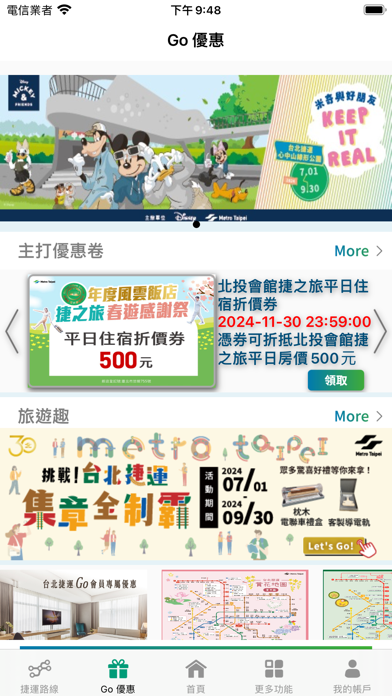
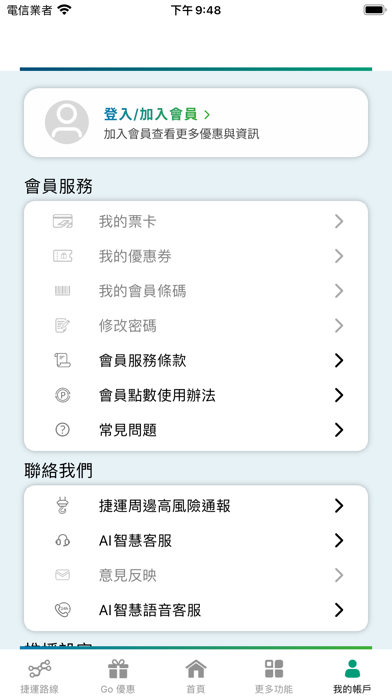
iPad screenshots


Icon palette
About this app
「台北捷運Go」App為台北捷運公司推出之線上服務,提供台北捷運營運及即時乘車資訊,另亦提供許多生活資訊及優惠好康享受各項優惠。The "Go!Metro Taipei" App features a built-in multilingual interface for a seamless travel experience. 》車站資訊 捷運路線圖、票價及行駛時間查詢、路線規劃、首末班車、無障礙資訊、停車場資訊等。 》即時資訊 首頁到站時刻、動態資訊、路線擁擠度、列車擁擠度等。 》貼心功能 下車提醒、相約列車、貓纜購票、旅遊票優惠、遺失物協尋、誤點證明等。 》會員功能 我的票卡、優惠券、捷運點等。 》周邊資訊 旅遊趣、Go! Map等。 The "Go!Metro Taipei" App features a built-in multilingual interface for a seamless travel experience. After downloading, simply tap the globe icon in the top-left corner of the homepage to switch to English, Japanese (日本語), or Korean (한국어). The app provides a Taipei Metro route map, station exit information, transfer information and a journey planner…
App details
What you can learn from 台北捷運Go
Every shipping app on the App Store has gone through the same decisions you're working through right now: which screenshot goes first, what caption sits over it, which device frame to show, what color the background should be. The 10 screenshots above are 台北捷運Go's answers to those questions — they're public, they're real, and they made it through Apple's review.
What the numbers say: 台北捷運Go runs a light set with one background colour (#FCFCFC) carried across every screenshot — the listing reads as a single poster when the shots sit side by side in search results. The accent colour we picked up, #3494C4, is the one to reuse for badges, arrows and highlighted words if you borrow this look. Hit Use this style to open the editor with these exact colours and drop your own screenshot in.
Notice the first screenshot in particular. It's the one users see in search results and on the product page, and it's where most apps spend their best caption and tightest design. Look at the proportion of background to phone, where the text sits, what one thing the image is trying to communicate.
Want to see how other Travel apps approach the same problem? Browse more Travel apps in the showcase.
Take what works into your own screenshots
Open LaunchShots and design your App Store & Google Play screenshots — pick a device frame, drop captions, ship in minutes. Free, in your browser.
Open the screenshot editor →Apps with a similar look
Closest background + accent colours among the listings we've analysed — useful when you want to see the same palette handled by a different team.