Chart position — tracked daily by LaunchShots
Screenshot changes — detected by LaunchShots
Screenshot style breakdown
Sampled from 6 of クラウドワークス | 副業・在宅ワーク's App Store screenshots — background, accent and theme, measured by LaunchShots (not something Apple publishes).
#046CCC bg
#2780D3
#FCFC04 accent
#FFFFFF text
Reading the caption text from the screenshots in your browser…
Screenshots


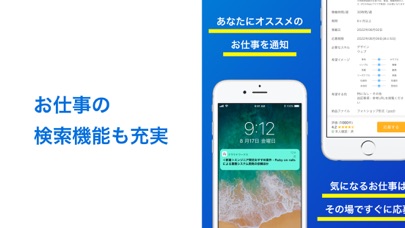


iPad screenshots


Icon palette
About this app
\国内シェア&取引額No.1!会員数600万人突破/ フリーランス・副業・在宅向けのお仕事アプリです。 お仕事ジャンルは200種類、発注数570万件以上。 いつでもどこでも、お仕事の検索やメッセージのやりとりがおこなえます。 通知がくるので、お仕事の重要なメッセージを逃しません。 クラウドワークスアプリのおすすめポイント 【カンタンにお仕事が見つかる】 ・毎日多くのお仕事が掲載されるので、気になる仕事がすぐに見つかる! ・クラウドワークス上の全てのお仕事を検索し、仕事内容を確認できます。 ・ライティングのお仕事は、文字単価や記事単価で絞り込りが可能! ・気になった仕事は、お気に入り登録!新着のお仕事のお知らせを受け取ることができる検索条件保存機能も。 【スマホで手軽にメッセージ!】 ・メッセージ機能で、案件毎にメッセージのやり取りをすることができます。 ・仕事相手からのメッセージが来たら、通知ですぐに気づけます。 【重要な通知を受け取れる】 ・お仕事相手からのスカウト・応募・契約・検収など、お仕事の進行に必要…
App details
What you can learn from クラウドワークス | 副業・在宅ワーク
Every shipping app on the App Store has gone through the same decisions you're working through right now: which screenshot goes first, what caption sits over it, which device frame to show, what color the background should be. The 20 screenshots above are クラウドワークス | 副業・在宅ワーク's answers to those questions — they're public, they're real, and they made it through Apple's review.
What the numbers say: クラウドワークス | 副業・在宅ワーク runs a mixed light-and-dark set where the background shifts from screenshot to screenshot (first shot #046CCC) — each image has to stand on its own, so the captions carry more of the story. The accent colour we picked up, #FCFC04, is the one to reuse for badges, arrows and highlighted words if you borrow this look. Hit Use this style to open the editor with these exact colours and drop your own screenshot in.
Notice the first screenshot in particular. It's the one users see in search results and on the product page, and it's where most apps spend their best caption and tightest design. Look at the proportion of background to phone, where the text sits, what one thing the image is trying to communicate.
Want to see how other Business apps approach the same problem? Browse more Business apps in the showcase.
Take what works into your own screenshots
Open LaunchShots and design your App Store & Google Play screenshots — pick a device frame, drop captions, ship in minutes. Free, in your browser.
Open the screenshot editor →Apps with a similar look
Closest background + accent colours among the listings we've analysed — useful when you want to see the same palette handled by a different team.