Screenshot style breakdown
Sampled from 3 of Baby Control Familias's App Store screenshots — background, accent and theme, measured by LaunchShots (not something Apple publishes).
#64C4E4 bg
#58ACC8
#1C8CAC accent
#111111 text
Screenshots
Icon palette
About this app
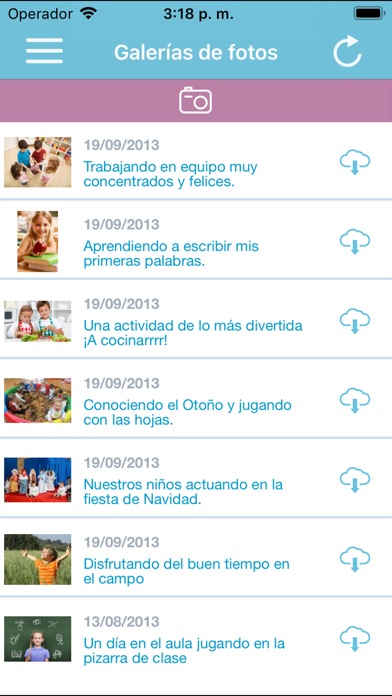
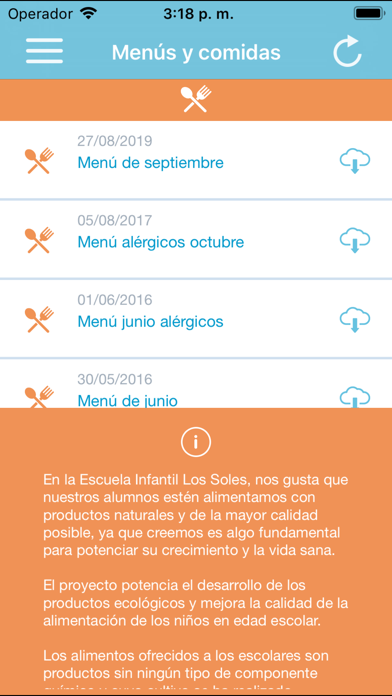
Mucho más que una Agenda Digital para centros infantiles con niños de 0 a 6 años. Sencilla y fácil de usar, los padres disponen de toda la información diaria sobre sus hijos: biberones, comidas, descanso, deposiciones, observaciones del día, avisos importantes... Comunicación directa y eficaz con el centro infantil. Los padres reciben los mensajes del tutor con alertas y notificaciones. Por ejemplo: ¡Necesitamos pañales! Además reciben las circulares de tu centro infantil, informes de evaluación personalizados, menús de comidas, actividades extraescolares, galerías de fotos, documentos para descargarse, avisos para excursiones o fiestas especiales (Navidad, carnaval, etc.). Todo esto y mucho más para hacerte la vida más fácil. Para utilizar esta app, tu centro infantil tiene que haber contratado la plataforma Baby Control, además debes tener unos datos de acceso validados para pod…
App details
What you can learn from Baby Control Familias
Every shipping app on the App Store has gone through the same decisions you're working through right now: which screenshot goes first, what caption sits over it, which device frame to show, what color the background should be. The 3 screenshots above are Baby Control Familias's answers to those questions — they're public, they're real, and they made it through Apple's review.
What the numbers say: Baby Control Familias runs a light set where the background shifts from screenshot to screenshot (first shot #64C4E4) — each image has to stand on its own, so the captions carry more of the story. The accent colour we picked up, #1C8CAC, is the one to reuse for badges, arrows and highlighted words if you borrow this look. Hit Use this style to open the editor with these exact colours and drop your own screenshot in.
Notice the first screenshot in particular. It's the one users see in search results and on the product page, and it's where most apps spend their best caption and tightest design. Look at the proportion of background to phone, where the text sits, what one thing the image is trying to communicate.
Want to see how other Education apps approach the same problem? Browse more Education apps in the showcase.
Take what works into your own screenshots
Open LaunchShots and design your App Store & Google Play screenshots — pick a device frame, drop captions, ship in minutes. Free, in your browser.
Open the screenshot editor →Apps with a similar look
Closest background + accent colours among the listings we've analysed — useful when you want to see the same palette handled by a different team.