Chart position — tracked daily by LaunchShots
Screenshot changes — detected by LaunchShots
Screenshot style breakdown
Sampled from 6 of flowkey – Klavier lernen's App Store screenshots — background, accent and theme, measured by LaunchShots (not something Apple publishes).
#F4A454 bg
#D69049
#A45404 accent
#111111 text
- #1213.000+ In Partnerschaft mit Uber 10 Jahre 15 Millionen Klavier-Inspiration Downloads
- #3Kurs starten Lektionen
- #6Für Elise Einstieg ins Noten lesen Könnte dir auch gefallen... A Q =
Captions read from the screenshots (OCR, may contain small errors): 3 headlines, 9 words on average (longest 13).
Screenshots


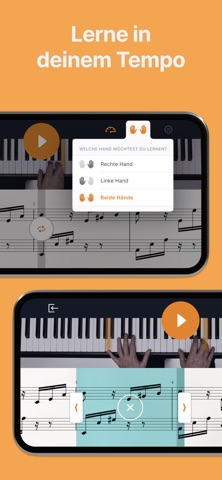

iPad screenshots


Icon palette
About this app
Mit flowkey kannst du wunderschöne Klavierstücke ganz einfach innerhalb von Stunden lernen – auch wenn du Einsteiger bist. Unsere Songs und Kurse wurden von professionellen Pianisten entwickelt, deren Hände dich beim spielen begleiten werden. Wähle deine liebsten Klavierstücke aus einer reichen Auswahl verschiedener Songs aller Schwierigkeitsstufen und Genres aus – Klassik, Pop, Film & TV, Videospiele und mehr. Lerne mit unseren Kursen die Grundlagen – zum Beispiel wie man Noten liest, die richtige Spieltechnik anwendet und wie man beidhändig spielt. Entwickle dich weiter mit Lektionen über Tonleitern, Akkorde, Improvisation und andere Themen. Du kannst flowkey mit akustischen Klavieren, sowie mit Digitalpianos und Keyboards benutzen. SO FUNKTIONIERT ES 1 - Platziere dein Smartphone, Tablet oder Laptop auf deinem Klavier 2 - Wähle den Song oder Kurs aus, den du gern lernen möchtest …
App details
What you can learn from flowkey – Klavier lernen
Every shipping app on the App Store has gone through the same decisions you're working through right now: which screenshot goes first, what caption sits over it, which device frame to show, what color the background should be. The 12 screenshots above are flowkey – Klavier lernen's answers to those questions — they're public, they're real, and they made it through Apple's review.
What the numbers say: flowkey – Klavier lernen runs a light set where the background shifts from screenshot to screenshot (first shot #F4A454) — each image has to stand on its own, so the captions carry more of the story. The accent colour we picked up, #A45404, is the one to reuse for badges, arrows and highlighted words if you borrow this look. Hit Use this style to open the editor with these exact colours and drop your own screenshot in.
Notice the first screenshot in particular. It's the one users see in search results and on the product page, and it's where most apps spend their best caption and tightest design. Look at the proportion of background to phone, where the text sits, what one thing the image is trying to communicate.
Want to see how other Education apps approach the same problem? Browse more Education apps in the showcase.
Take what works into your own screenshots
Open LaunchShots and design your App Store & Google Play screenshots — pick a device frame, drop captions, ship in minutes. Free, in your browser.
Open the screenshot editor →Apps with a similar look
Closest background + accent colours among the listings we've analysed — useful when you want to see the same palette handled by a different team.