Chart position — tracked daily by LaunchShots
Screenshot changes — detected by LaunchShots
Screenshot style breakdown
Sampled from 5 of 宝宝巴士汉字-儿童分龄识字认字阅读学习软件's App Store screenshots — background, accent and theme, measured by LaunchShots (not something Apple publishes).
#249CF4 bg
#42A9F5
#9CB4FC accent
#FFFFFF text
Screenshots
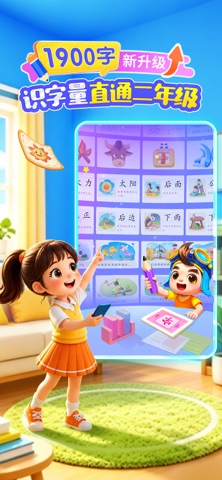
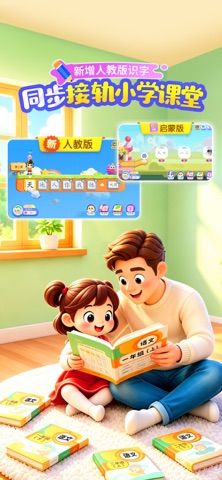

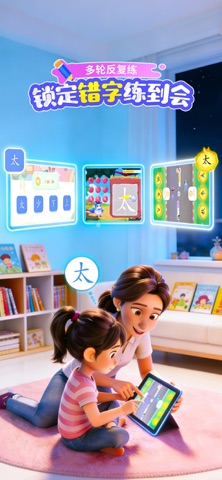

iPad screenshots


Icon palette
About this app
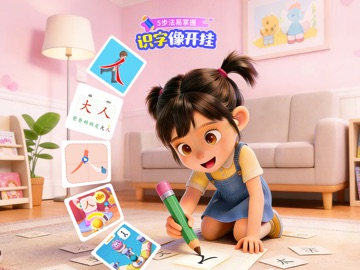
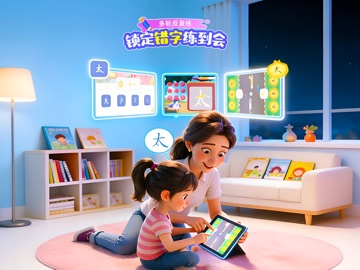
【宝宝巴士汉字】专为3-8岁儿童识字设计,构建分龄体系和完整的学习闭环。覆盖1900个常用汉字、7600个词组与5700个生活句子。同时配套168本分级绘本(成语故事、中国传统故事、童话故事)、113首小学必背古诗、48个历史故事与503首国学雅韵。 一套分龄体系,双识字路线可选 (1)启蒙版 · 按年龄学 3-6岁零基础的孩子,按年龄段学:一阶以象形识字激发兴趣;二阶按生活场景分类识字;三阶引导认识不同偏旁组合下的汉字;四阶以部件组合规律拓展更多识字量。让识字从兴趣开始,逐步过渡到理解和运用,零基础也能轻松坚持。 (2) 人教版· 按教材学 6岁+为上学做准备的孩子,直接跟人教版语文教材走:按一年级上/下、二年级上/下课本顺序1:1同步推进识字,外加进阶拓展生字。从幼小衔接到课后巩固,通过规律、体系化的识字规划,帮助孩子建立长期记忆,稳稳对标课堂要求。 五步识字 × 科学复习 × 分阶阅读,形成完整学习闭环 (1)五步识字法:掌握新字的音、形、义 遵循“认、学、读、写、练”五步学习流程:象形动画认字形;结合生活场景、实物学字义;3阶跟读方式…
App details
What you can learn from 宝宝巴士汉字-儿童分龄识字认字阅读学习软件
Every shipping app on the App Store has gone through the same decisions you're working through right now: which screenshot goes first, what caption sits over it, which device frame to show, what color the background should be. The 10 screenshots above are 宝宝巴士汉字-儿童分龄识字认字阅读学习软件's answers to those questions — they're public, they're real, and they made it through Apple's review.
What the numbers say: 宝宝巴士汉字-儿童分龄识字认字阅读学习软件 runs a mixed light-and-dark set where the background shifts from screenshot to screenshot (first shot #249CF4) — each image has to stand on its own, so the captions carry more of the story. The accent colour we picked up, #9CB4FC, is the one to reuse for badges, arrows and highlighted words if you borrow this look. Hit Use this style to open the editor with these exact colours and drop your own screenshot in.
Notice the first screenshot in particular. It's the one users see in search results and on the product page, and it's where most apps spend their best caption and tightest design. Look at the proportion of background to phone, where the text sits, what one thing the image is trying to communicate.
Want to see how other Education apps approach the same problem? Browse more Education apps in the showcase.
Take what works into your own screenshots
Open LaunchShots and design your App Store & Google Play screenshots — pick a device frame, drop captions, ship in minutes. Free, in your browser.
Open the screenshot editor →Apps with a similar look
Closest background + accent colours among the listings we've analysed — useful when you want to see the same palette handled by a different team.