Screenshot style breakdown
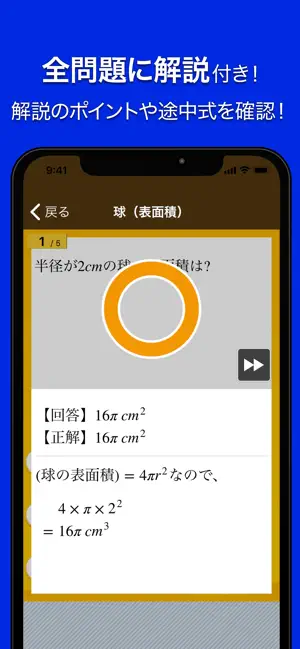
Sampled from 5 of 数学トレーニング's App Store screenshots — background, accent and theme, measured by LaunchShots (not something Apple publishes).
#042CE4 bg
#2749E7
#0C145C accent
#FFFFFF text
Screenshots



Icon palette
About this app
中学生の数学・計算の勉強にピッタリの無料学習アプリ。 方程式や関数、図形や確率、データの活用など、中学校で学ぶ様々な分野の計算問題に挑戦しよう。 また、小数や分数などの復習問題も収録しています。 問題は、中学校の学年に対応した以下のレベルに分けて収録しています。 ・中学1年レベル ・中学2年レベル ・中学3年レベル ・(復習)小学4年レベル ・(復習)小学5年レベル ・(復習)小学6年レベル 問題画面に指で途中計算を書くことができます。 広いスペースに書きたい場合は、緑色の「メモ帳とペン」ボタンを押してください。 本アプリ「数学トレーニング(中学1年・2年・3年の数学計算勉強アプリ)」は全ての問題を無料でご利用頂けます。 本アプリはアプリ内に広告が表示されます。 広告表示が気になる方は、有料となり誠に恐縮ですが、もし宜しければ「本気で勉強プラン(広告非表示)」をご利用ください。 利用規約 https://apps.studyswitch.co.jp/terms_of_use.html 本アプリは、累計5000万ダウンロード、人気の「はんぷく」学習シリーズのア…
App details
What you can learn from 数学トレーニング
Every shipping app on the App Store has gone through the same decisions you're working through right now: which screenshot goes first, what caption sits over it, which device frame to show, what color the background should be. The 5 screenshots above are 数学トレーニング's answers to those questions — they're public, they're real, and they made it through Apple's review.
What the numbers say: 数学トレーニング runs a dark set with one background colour (#042CE4) carried across every screenshot — the listing reads as a single poster when the shots sit side by side in search results. The accent colour we picked up, #0C145C, is the one to reuse for badges, arrows and highlighted words if you borrow this look. Hit Use this style to open the editor with these exact colours and drop your own screenshot in.
Notice the first screenshot in particular. It's the one users see in search results and on the product page, and it's where most apps spend their best caption and tightest design. Look at the proportion of background to phone, where the text sits, what one thing the image is trying to communicate.
Want to see how other Education apps approach the same problem? Browse more Education apps in the showcase.
Take what works into your own screenshots
Open LaunchShots and design your App Store & Google Play screenshots — pick a device frame, drop captions, ship in minutes. Free, in your browser.
Open the screenshot editor →Apps with a similar look
Closest background + accent colours among the listings we've analysed — useful when you want to see the same palette handled by a different team.