Chart position — tracked daily by LaunchShots
Screenshot style breakdown
Sampled from 6 of ANAマイレージクラブ 航空・旅行・買い物をマイルでおトクに's App Store screenshots — background, accent and theme, measured by LaunchShots (not something Apple publishes).
#1C84DC bg
#3B95E0
#F4DC0C accent
#FFFFFF text
Screenshots

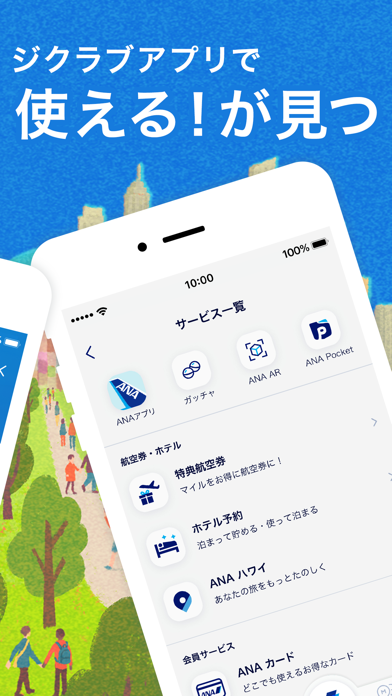


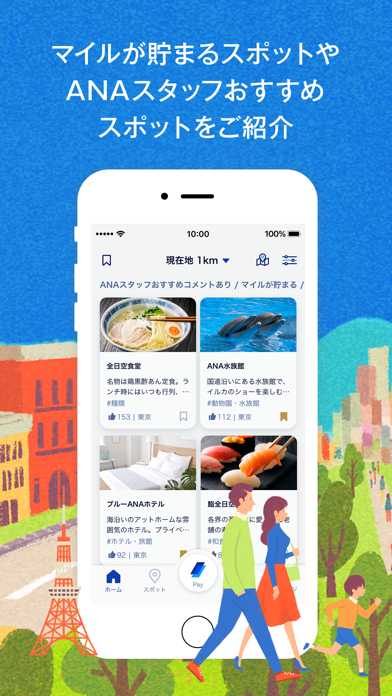
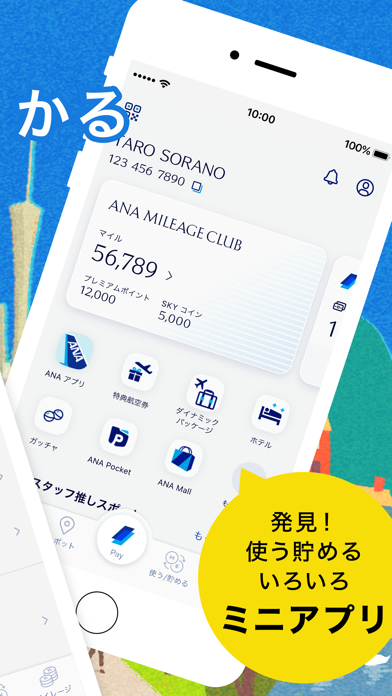
Icon palette
About this app
マイルをもっと貯めたい・使いたい方へ 毎日の暮らしに【ANAマイレージクラブアプリ】 ◆マイルが貯まるスポットを検索できる! 日常や旅先でマイルが貯まる・ANA Payが利用できるスポットを紹介しています。 それぞれのスポットへのANAスタッフのおすすめコメントも参考にして頂けます。 ◆ ANA Payが利用出来る! ANA Payは、ANAマイレージクラブアプリで使える、スマホ決済サービスです。 ANA Payを使うと、いつものお買い物でマイルを貯めることができます。貯まったマイルはANA Payに1マイル=1円相当でチャージできるため、毎日のお買い物でご利用いただけます。また、クレジットカード・コンビニATM・Apple Payからチャージも簡単にできます。 さらにタッチ決済機能も追加になり、ご利用いただける店舗も大幅に拡大、オンラインショッピングでもご利用いただけるようになりました。 ◆ 積算マイルやステイタスの確認が分かりやすく 以前のアプリでは会員デジタルカードをステイタスカードとしてお使いいただいて おりましたが、新しいアプリでも変わり…
App details
What you can learn from ANAマイレージクラブ 航空・旅行・買い物をマイルでおトクに
Every shipping app on the App Store has gone through the same decisions you're working through right now: which screenshot goes first, what caption sits over it, which device frame to show, what color the background should be. The 6 screenshots above are ANAマイレージクラブ 航空・旅行・買い物をマイルでおトクに's answers to those questions — they're public, they're real, and they made it through Apple's review.
What the numbers say: ANAマイレージクラブ 航空・旅行・買い物をマイルでおトクに runs a mixed light-and-dark set where the background shifts from screenshot to screenshot (first shot #1C84DC) — each image has to stand on its own, so the captions carry more of the story. The accent colour we picked up, #F4DC0C, is the one to reuse for badges, arrows and highlighted words if you borrow this look. Hit Use this style to open the editor with these exact colours and drop your own screenshot in.
Notice the first screenshot in particular. It's the one users see in search results and on the product page, and it's where most apps spend their best caption and tightest design. Look at the proportion of background to phone, where the text sits, what one thing the image is trying to communicate.
Want to see how other Travel apps approach the same problem? Browse more Travel apps in the showcase.
Take what works into your own screenshots
Open LaunchShots and design your App Store & Google Play screenshots — pick a device frame, drop captions, ship in minutes. Free, in your browser.
Open the screenshot editor →Apps with a similar look
Closest background + accent colours among the listings we've analysed — useful when you want to see the same palette handled by a different team.