Screenshots
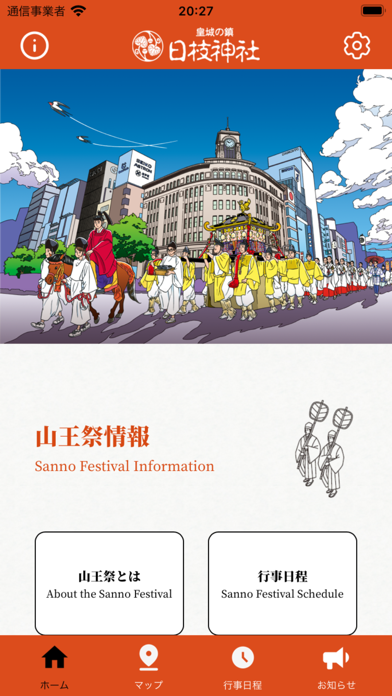


iPad screenshots


Icon palette
About this app
2026年(令和8年)山王祭 神幸祭 開催! 日枝神社公式アプリで、絢爛豪華な約550名の行列をGPSでリアルタイム追跡。日本三大祭・江戸三大祭「山王祭」を逃さず楽しむ、唯一の公式アプリです。 ーーーーーーーーーーーーーーーー 2026年 山王祭について ーーーーーーーーーーーーーーーー 神幸祭は2年に1度だけ開催される特別な祭礼。次回は2026年6月12日。千代田区・中央区・港区・新宿区を縦断する全行程23kmの王朝行列が都心を練り歩きます。 ーーーーーーーーーーーーーーーー 神幸祭について ーーーーーーーーーーーーーーーー 神幸祭で練り歩く行列は大きく4つの「梯団(ていだん)」に分かれ、全長は約300mにも及びます。 ・第1梯団 政治への不満を伝える太鼓(諫鼓)を打ち鳴らす者がおらず、その太鼓の上に鶏が止まったという故事にちなんだ「諫鼓鶏山車」を始めとした梯団が祭礼の始まりを華々しく告げます。 ・第2梯団 巫女の装束を纏った「舞姫」や雅楽を奏でる「楽人」が行列に加わります。 ・第3梯団 神様をお乗せする御鳳輦2基と宮神輿1基で構成…
App details
What you can learn from 日枝神社 デジタル祭礼図
Every shipping app on the App Store has gone through the same decisions you're working through right now: which screenshot goes first, what caption sits over it, which device frame to show, what color the background should be. The 10 screenshots above are 日枝神社 デジタル祭礼図's answers to those questions — they're public, they're real, and they made it through Apple's review.
Notice the first screenshot in particular. It's the one users see in search results and on the product page, and it's where most apps spend their best caption and tightest design. Look at the proportion of background to phone, where the text sits, what one thing the image is trying to communicate.
Want to see how other Travel apps approach the same problem? Browse more Travel apps in the showcase.
Take what works into your own screenshots
Open LaunchShots and design your App Store & Google Play screenshots — pick a device frame, drop captions, ship in minutes. Free, in your browser.
Open the screenshot editor →