Chart position — tracked daily by LaunchShots
Screenshot changes — detected by LaunchShots
Screenshot style breakdown
Sampled from 6 of Эффекты, фильтры, эмодзи's App Store screenshots — background, accent and theme, measured by LaunchShots (not something Apple publishes).
#FCFC04 bg
#DDDD03
#5C442C accent
#111111 text
Screenshots


iPad screenshots




Icon palette
About this app
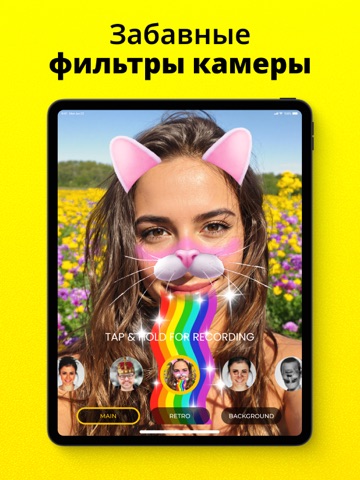
Эффекты для лица, фильтры и эмодзи – идеальный редактор селфи и фотографий, созданный для того, чтобы улучшить ваш фотоопыт с помощью множества потрясающих эффектов и фильтров. Хотите добавить немного веселья, креативности или просто изюминки в свои снимки? Это приложение подойдёт вам идеально! С Эффекты для лица, фильтры и эмодзи вы сможете превратить свои селфи и фотографии в настоящие произведения искусства. Приложение наполнено множеством эффектов и фильтров, которые выведут ваши изображения на совершенно новый уровень. ** Скачайте прямо сейчас и преображайте свои фото с весёлыми эффектами! ** От ярких цветовых улучшений до уникальных художественных эффектов — каждый найдёт что-то на свой вкус. Благодаря функции наклеек для лица с перетаскиванием вы легко сможете добавить забавные и выразительные стикеры на свои селфи: мордочки собак и кошек, радужные элементы и многое другое. О…
App details
What you can learn from Эффекты, фильтры, эмодзи
Every shipping app on the App Store has gone through the same decisions you're working through right now: which screenshot goes first, what caption sits over it, which device frame to show, what color the background should be. The 15 screenshots above are Эффекты, фильтры, эмодзи's answers to those questions — they're public, they're real, and they made it through Apple's review.
What the numbers say: Эффекты, фильтры, эмодзи runs a light set with one background colour (#FCFC04) carried across every screenshot — the listing reads as a single poster when the shots sit side by side in search results. The accent colour we picked up, #5C442C, is the one to reuse for badges, arrows and highlighted words if you borrow this look. Hit Use this style to open the editor with these exact colours and drop your own screenshot in.
Notice the first screenshot in particular. It's the one users see in search results and on the product page, and it's where most apps spend their best caption and tightest design. Look at the proportion of background to phone, where the text sits, what one thing the image is trying to communicate.
Want to see how other Entertainment apps approach the same problem? Browse more Entertainment apps in the showcase.
Take what works into your own screenshots
Open LaunchShots and design your App Store & Google Play screenshots — pick a device frame, drop captions, ship in minutes. Free, in your browser.
Open the screenshot editor →Apps with a similar look
Closest background + accent colours among the listings we've analysed — useful when you want to see the same palette handled by a different team.