Chart position — tracked daily by LaunchShots
Screenshot style breakdown
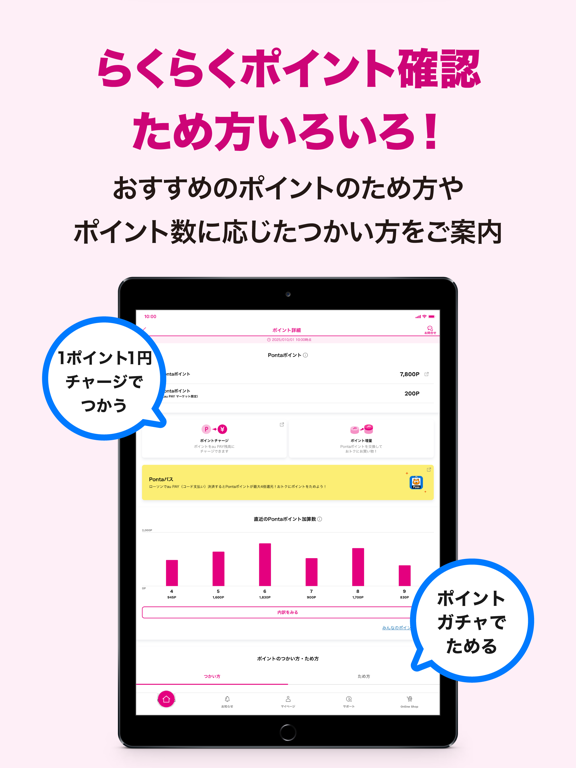
Sampled from 6 of My UQ mobile's App Store screenshots — background, accent and theme, measured by LaunchShots (not something Apple publishes).
#FCECF4 bg
#DDCFD6
#CC0474 accent
#111111 text
Reading the caption text from the screenshots in your browser…
Screenshots


iPad screenshots


Icon palette
About this app
◆料金もデータ残量(ギガ)もポイントもすぐに確認できる! 〜主な機能〜 ①データ残量(ギガ)・利用量 ・現在のデータ残量(ギガ)や利用量を確認できます ・直近30日間、過去6ヶ月のデータ利用履歴(ギガ)もグラフで確認できます ②ご請求額・ご請求予定額 ・ご請求額と内訳を確認できます ・過去6ヶ月のご請求額をグラフで比較できます ③ご契約情報の確認・変更 ・ご契約情報の確認や、料金プラン・オプションサービスの変更手続きができます ・お引越し前に必要な住所変更ができます ・エンタメ、auの金融・保険サービスの加入状況が確認できます ④サポートメニュー ・疑問やトラブルをご自身でスムーズに解決できます ・テキスト形式でオペレーターへの相談ができるチャット機能や来店予約手続きができます ⑤お知らせ ・あなたにあったお知らせが確認できます ⑥カレンダー ・大事な予定が一目でわかります ・おトクな情報もカレンダーで確認できます ⑦Pontaポイント・au Ponta レベル ・保有しているPontaポイント・au Ponta レベルの確認ができます ・…
App details
What you can learn from My UQ mobile
Every shipping app on the App Store has gone through the same decisions you're working through right now: which screenshot goes first, what caption sits over it, which device frame to show, what color the background should be. The 16 screenshots above are My UQ mobile's answers to those questions — they're public, they're real, and they made it through Apple's review.
What the numbers say: My UQ mobile runs a light set with one background colour (#FCECF4) carried across every screenshot — the listing reads as a single poster when the shots sit side by side in search results. The accent colour we picked up, #CC0474, is the one to reuse for badges, arrows and highlighted words if you borrow this look. Hit Use this style to open the editor with these exact colours and drop your own screenshot in.
Notice the first screenshot in particular. It's the one users see in search results and on the product page, and it's where most apps spend their best caption and tightest design. Look at the proportion of background to phone, where the text sits, what one thing the image is trying to communicate.
Want to see how other Utilities apps approach the same problem? Browse more Utilities apps in the showcase.
Take what works into your own screenshots
Open LaunchShots and design your App Store & Google Play screenshots — pick a device frame, drop captions, ship in minutes. Free, in your browser.
Open the screenshot editor →Apps with a similar look
Closest background + accent colours among the listings we've analysed — useful when you want to see the same palette handled by a different team.