Chart position — tracked daily by LaunchShots
Screenshot changes — detected by LaunchShots
Screenshot style breakdown
Sampled from 6 of Suica's App Store screenshots — background, accent and theme, measured by LaunchShots (not something Apple publishes).
#FCFCFC bg
#DDDDDD
#6CB434 accent
#111111 text
Screenshots





Icon palette
About this app
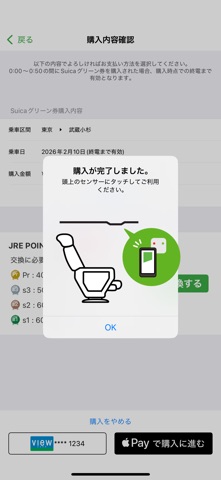
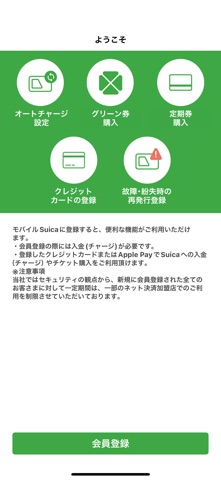
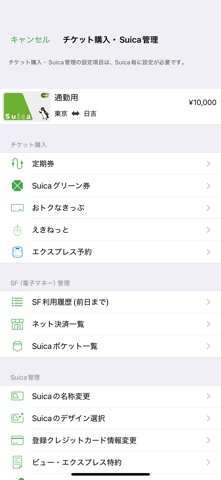
東日本旅客鉄道株式会社(JR東日本)が提供するSuicaをApple Payで利用するためのアプリです。Suicaの発行やチャージ、定期券の購入もアプリで完結します。スマホを「かざすだけ」で鉄道・バスの乗車やキャッシュレス決済をスムーズにご利用いただけます。「JRE POINT」に登録すれば、JR東日本の鉄道に乗るとポイントが貯まります。また、貯まったポイントをSuicaにチャージすることも可能です。 【Suicaアプリケーションでできること】 iPhone*とクレジットカードがあればSuicaアプリで簡単にキャッシュレス生活を始められます。お手元にSuicaカードがなくても、Suicaアプリにて新規発行することが可能です。Suicaカードをお持ちの場合は、iPhoneでApple Payに取り込んで利用できます。iPhoneとペアリングすることで、Apple Watch*でも利用可能です。 入会金、年会費、デポジット等はいただきません。 * iPhone 8以降のiPhone、Apple Watch Series 3以降のApple Watch、日本国内で発売されたiPhone 7及びApple Watch Series 2の機種が対象です。 決済手段は下記の2…
App details
What you can learn from Suica
Every shipping app on the App Store has gone through the same decisions you're working through right now: which screenshot goes first, what caption sits over it, which device frame to show, what color the background should be. The 9 screenshots above are Suica's answers to those questions — they're public, they're real, and they made it through Apple's review.
What the numbers say: Suica runs a light set where the background shifts from screenshot to screenshot (first shot #FCFCFC) — each image has to stand on its own, so the captions carry more of the story. The accent colour we picked up, #6CB434, is the one to reuse for badges, arrows and highlighted words if you borrow this look. Hit Use this style to open the editor with these exact colours and drop your own screenshot in.
Notice the first screenshot in particular. It's the one users see in search results and on the product page, and it's where most apps spend their best caption and tightest design. Look at the proportion of background to phone, where the text sits, what one thing the image is trying to communicate.
Want to see how other Finance apps approach the same problem? Browse more Finance apps in the showcase.
Take what works into your own screenshots
Open LaunchShots and design your App Store & Google Play screenshots — pick a device frame, drop captions, ship in minutes. Free, in your browser.
Open the screenshot editor →Apps with a similar look
Closest background + accent colours among the listings we've analysed — useful when you want to see the same palette handled by a different team.