Chart position — tracked daily by LaunchShots
Screenshot changes — detected by LaunchShots
Screenshot style breakdown
Sampled from 6 of ToDoリスト リマインダー通知付きのメモ帳&やることリスト's App Store screenshots — background, accent and theme, measured by LaunchShots (not something Apple publishes).
#FCFCFC bg
#DDDDDD
#044464 accent
#111111 text
Screenshots


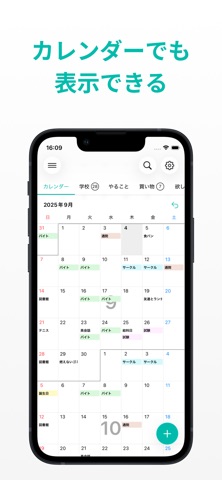


iPad screenshots


Icon palette
About this app
300万DL突破!タブで分けられるシンプルなToDoリストです! 学校の課題、仕事、買い物、休日の予定、趣味など、タスクや予定をタブに分けて管理することができます。タブは無制限に好きなだけ作成できます。 ToDoの色は8種類から選べるので、タブと色を使って自由に分類できます。 ウィジェットにも対応しているため、ホーム画面やロック画面で一目でToDoを確認できます。 リマンダー機能で通知することもできます! 毎日・毎週・毎月の繰り返し通知もできるので日課や定期的な予定の管理にも最適です! iCloud同期にも対応しているのでiPhone/iPadでデータ同期もできます。 - 機能について ・ToDoを登録できます。 ・ToDoはタブで分類することができます。 ・ToDoやタブは削除したり並び替えができます。 ・チェック済みのToDoはワンタップでまとめて削除できます。 ・タブの名前は「仕事」,「買い物」、「欲しいもの」など自由に決められます。 ・ToDoの色は8種類から選べます。 ・タスクに期限を設定できます。期限を設定すると通知が飛びます。 ・通知は毎日・毎…
App details
What you can learn from ToDoリスト リマインダー通知付きのメモ帳&やることリスト
Every shipping app on the App Store has gone through the same decisions you're working through right now: which screenshot goes first, what caption sits over it, which device frame to show, what color the background should be. The 16 screenshots above are ToDoリスト リマインダー通知付きのメモ帳&やることリスト's answers to those questions — they're public, they're real, and they made it through Apple's review.
What the numbers say: ToDoリスト リマインダー通知付きのメモ帳&やることリスト runs a light set with one background colour (#FCFCFC) carried across every screenshot — the listing reads as a single poster when the shots sit side by side in search results. The accent colour we picked up, #044464, is the one to reuse for badges, arrows and highlighted words if you borrow this look. Hit Use this style to open the editor with these exact colours and drop your own screenshot in.
Notice the first screenshot in particular. It's the one users see in search results and on the product page, and it's where most apps spend their best caption and tightest design. Look at the proportion of background to phone, where the text sits, what one thing the image is trying to communicate.
Want to see how other Productivity apps approach the same problem? Browse more Productivity apps in the showcase.
Take what works into your own screenshots
Open LaunchShots and design your App Store & Google Play screenshots — pick a device frame, drop captions, ship in minutes. Free, in your browser.
Open the screenshot editor →Apps with a similar look
Closest background + accent colours among the listings we've analysed — useful when you want to see the same palette handled by a different team.