Chart position — tracked daily by LaunchShots
Screenshot style breakdown
Sampled from 6 of 近鉄アプリ's App Store screenshots — background, accent and theme, measured by LaunchShots (not something Apple publishes).
#0C6CB4 bg
#2E80BE
#8CBCDC accent
#FFFFFF text
Screenshots


Icon palette
About this app
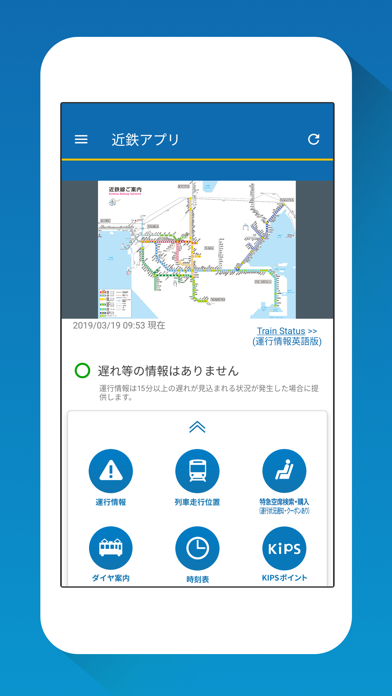
「近鉄アプリ」は、近鉄電車の列車の運行に関する情報を中心に、鉄道のご利用にあたっての情報を提供する近畿日本鉄道の無料公式アプリです。 【提供するサービス】 ◆運行情報(プッシュ通知、影響区間・運行状況等の表示) プッシュ通知は、お客様が事前に登録されたご希望の路線において、列車の運転見合わせや遅れ等が発生した際に、お客様の端末に路線や日時をプッシュ通知します。通知画面の「表示」をタップすると、影響区間や運行状況等を表示する画面をご覧いただけます。また状況が確認できれば振替輸送の実施や運転見合わせ時の再開見込み時間等についてもお知らせします。 ◆列車走行位置 列車の走行位置を駅もしくは駅間で表示すると共に列車の遅れ時分、種別、行先、編成両数をお知らせしますので、お客様が列車に乗られる際の目安にご利用ください。また、特急列車の詳細画面からは当社のインターネット予約発売サービスサイトへリンクするので、スムーズに特急券を購入することができます。 対応路線・・・難波・奈良線 京都線 …
App details
What you can learn from 近鉄アプリ
Every shipping app on the App Store has gone through the same decisions you're working through right now: which screenshot goes first, what caption sits over it, which device frame to show, what color the background should be. The 9 screenshots above are 近鉄アプリ's answers to those questions — they're public, they're real, and they made it through Apple's review.
What the numbers say: 近鉄アプリ runs a mixed light-and-dark set where the background shifts from screenshot to screenshot (first shot #0C6CB4) — each image has to stand on its own, so the captions carry more of the story. The accent colour we picked up, #8CBCDC, is the one to reuse for badges, arrows and highlighted words if you borrow this look. Hit Use this style to open the editor with these exact colours and drop your own screenshot in.
Notice the first screenshot in particular. It's the one users see in search results and on the product page, and it's where most apps spend their best caption and tightest design. Look at the proportion of background to phone, where the text sits, what one thing the image is trying to communicate.
Want to see how other Navigation apps approach the same problem? Browse more Navigation apps in the showcase.
Take what works into your own screenshots
Open LaunchShots and design your App Store & Google Play screenshots — pick a device frame, drop captions, ship in minutes. Free, in your browser.
Open the screenshot editor →Apps with a similar look
Closest background + accent colours among the listings we've analysed — useful when you want to see the same palette handled by a different team.