Chart position — tracked daily by LaunchShots
Screenshot changes — detected by LaunchShots
Screenshot style breakdown
Sampled from 6 of テスト勉強アプリ 暗記メーカー 単語帳・問題集を簡単作成's App Store screenshots — background, accent and theme, measured by LaunchShots (not something Apple publishes).
#FCFCFC bg
#DDDDDD
#346494 accent
#111111 text
Reading the caption text from the screenshots in your browser…
Screenshots

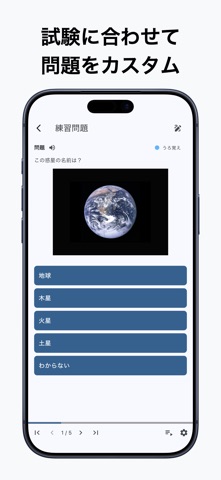


iPad screenshots


Icon palette
About this app
おかげさまで190万ダウンロード突破! 「暗記メーカー」は、定期テストや受験勉強、資格勉強に役立つ問題集作成アプリです。 【こんな人におすすめ】 ・定期テストに向けて自分用の問題集を作りたい ・単語帳をアプリで管理したい ・通勤、通学の時間を有効活用したい ・友人同士で問題集を共有したい ・効率良く勉強したい ・シンプルなデザインのアプリが好き 【暗記メーカーでできること】 ■ 問題集の作成 ■ 勉強したい内容に合わせて、自分用の問題集を作成できます。 例 ・自分で答えを入力する一問一答問題 ・番号やマルバツで答えを選ぶ選択問題 ・文章内の空欄をすべて埋める穴埋め問題 ・当てはまるすべての選択肢を選ぶ選択問題 ・画像や解説文を添付した問題 また、効率的に作問を行うための機能も多数搭載しています。 ・PC(ブラウザ版)での問題作成 https://ankimaker.com/ ・CSVファイルのインポート/エクスポート https://ankimaker.com/howto/edit_csv/ ・AIによる作問サポート 教科書やノートの文章をスキャンして問題を自動作成します。 …
App details
What you can learn from テスト勉強アプリ 暗記メーカー 単語帳・問題集を簡単作成
Every shipping app on the App Store has gone through the same decisions you're working through right now: which screenshot goes first, what caption sits over it, which device frame to show, what color the background should be. The 12 screenshots above are テスト勉強アプリ 暗記メーカー 単語帳・問題集を簡単作成's answers to those questions — they're public, they're real, and they made it through Apple's review.
What the numbers say: テスト勉強アプリ 暗記メーカー 単語帳・問題集を簡単作成 runs a light set with one background colour (#FCFCFC) carried across every screenshot — the listing reads as a single poster when the shots sit side by side in search results. The accent colour we picked up, #346494, is the one to reuse for badges, arrows and highlighted words if you borrow this look. Hit Use this style to open the editor with these exact colours and drop your own screenshot in.
Notice the first screenshot in particular. It's the one users see in search results and on the product page, and it's where most apps spend their best caption and tightest design. Look at the proportion of background to phone, where the text sits, what one thing the image is trying to communicate.
Want to see how other Education apps approach the same problem? Browse more Education apps in the showcase.
Take what works into your own screenshots
Open LaunchShots and design your App Store & Google Play screenshots — pick a device frame, drop captions, ship in minutes. Free, in your browser.
Open the screenshot editor →Apps with a similar look
Closest background + accent colours among the listings we've analysed — useful when you want to see the same palette handled by a different team.